
Make sure they’re real before you meet.
Verify yourself through your photos or ID, or ask someone else to verify theirs. Share only what you choose through a private Trust Request.
Know who you’re meeting. Stay in control.
No IDs exchanged. No app download. About 90 seconds.
- First Trust Request free
- Private by default
- Bank-grade encryption
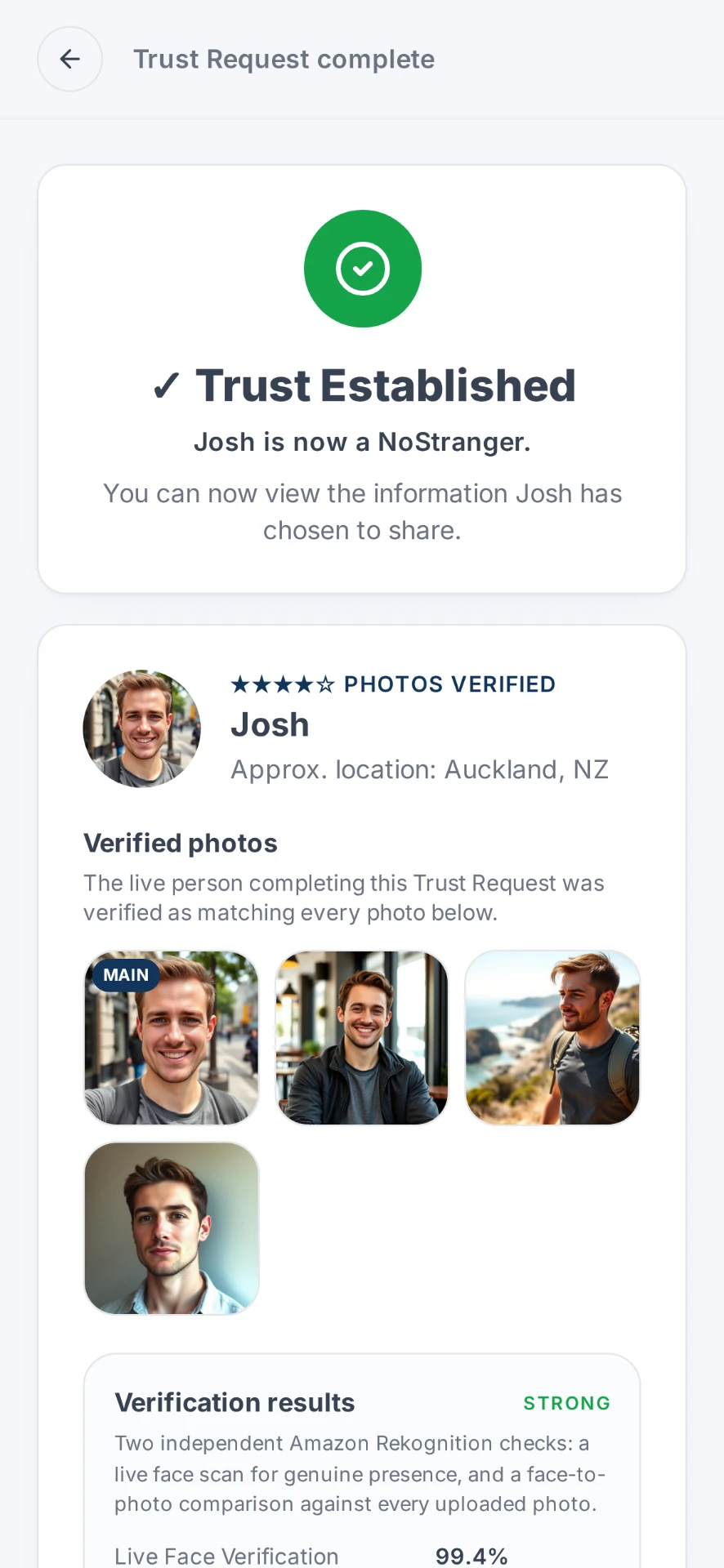
✓ Trust Established
Mia is now a NoStranger.
You can now view the information Mia has chosen to share.

★★★★★ IDENTITY VERIFIED
Mia Alvarez
Approx. connection location: Wellington, NZ
Age
29
Gender
Female
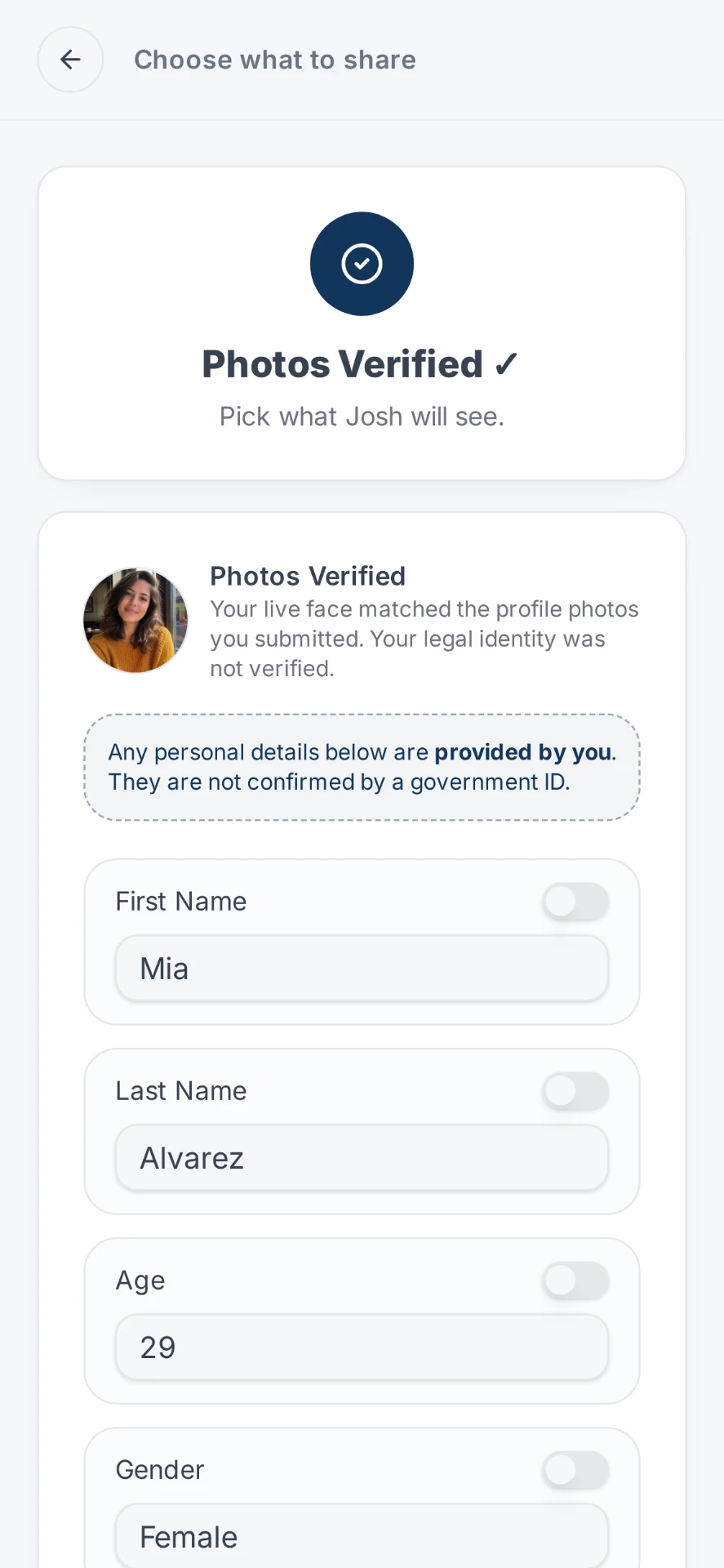
First name
Mia
Last name
Alvarez
Identity Verified
These details were verified from a government-issued ID and checked against authoritative records, with a live face check confirming the person completing the verification matches the ID.
You only see what they chose to share. This code can't be used again.
What it is
A secure digital envelope for two people.
A Trust Request lets people privately verify who they are before meeting. Each person verifies independently and chooses exactly what to place in the envelope, and you don't have to verify yourself to send one.
- Verification happens through trusted providers, not by us reading your documents.
- If you choose ID verification, your Government ID is never shared with the other person.
- If you choose ID verification, NoStrangers cannot view or access your uploaded Government ID.
- Nothing is shared simply because you verified yourself. You decide what to share, every time.
- Verification is encouraged, not required. You're always in control of what you share.
Need to check someone right now? Verify someone online.

The NoStrangers way
Give a little trust.
Ask for a little trust.
Asking someone to verify themselves can feel awkward. It shouldn't. A Trust Request lets you share a little verified information about yourself, then ask them to do the same.
You
- Photos verified
- Age verified
Them
- Photos verified
- Age verified
Only the match is shared.
Your ID, ID image or face scan isn't passed between you.
You choose what you share. They choose what they share back.
Reciprocity
People tend to share more when someone else shares first.
Research on online self-disclosure. View researchTrust
Reciprocal sharing between strangers online can build greater interpersonal trust.
Research on reciprocal self-disclosure. View researchLower perceived risk
Self-disclosure can increase trust and reduce perceived risk in interactions between strangers.
Research on stranger-to-stranger transactions. View researchThese studies look at trust and sharing in general. They did not test NoStrangers.
You don't have to verify yourself first. But giving a little trust can make asking for it a whole lot easier.
Not an exchange of identities. An exchange of trust.
How it works
The journey, start to finish.
Seven simple stages. Everyone stays in control of their own information the entire way through.
- 1
You
Start a Trust Request
Choose Generate Trust Request and continue as a guest or with your account. Nothing has been sent yet.
- 2
You
Choose how to verify
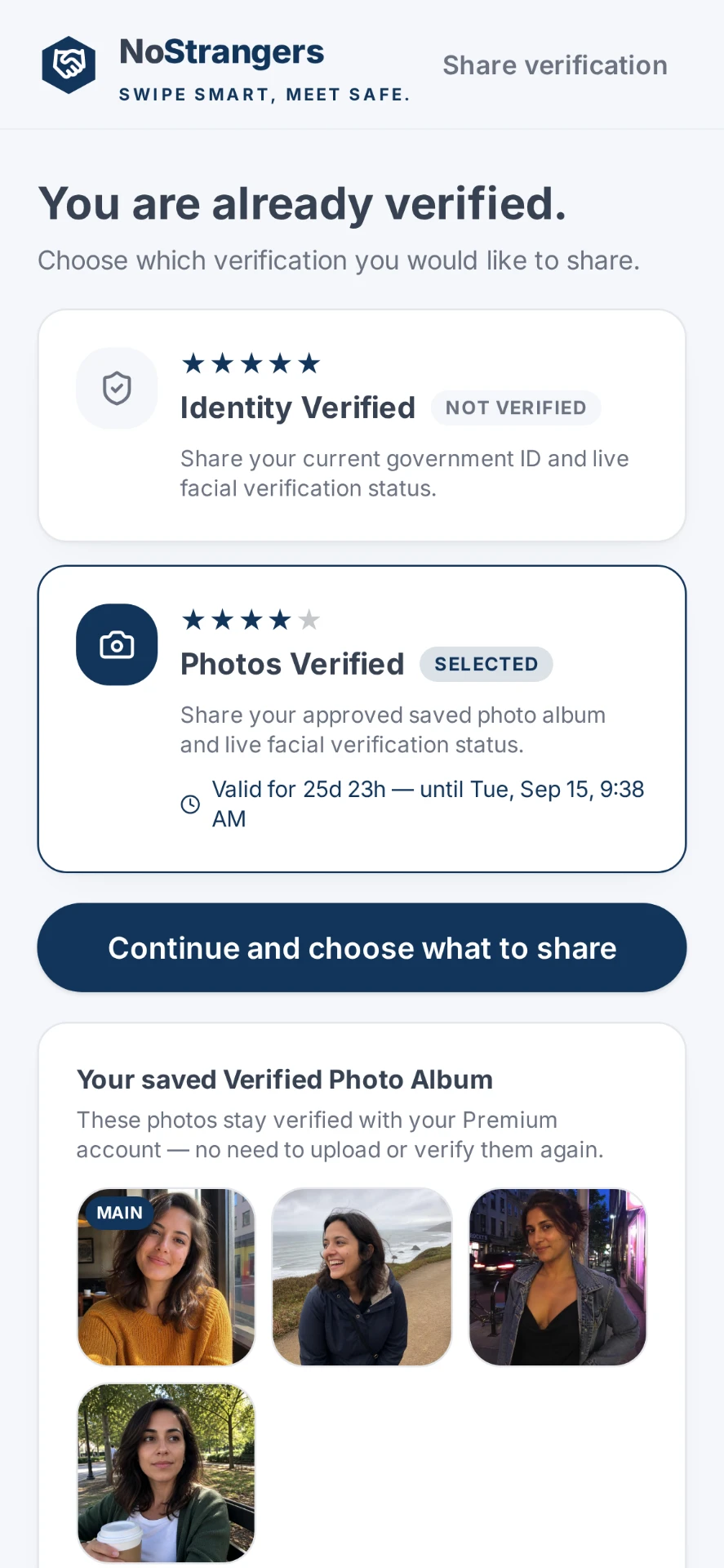
If you verify yourself, select the level of trust that suits the situation: Photos Verified or Identity Verified.
- 3
You
Choose what to share
Verifying shares nothing on its own. You pick exactly which verified details go in.
- 4
You
Send your Trust Request
Send the private link or Trust Request code to the person you've been talking to. No app download for them.
- 5
Them
They choose how to verify
They open it, decide whether to take part, then choose their verification method.
- 6
Them
They choose what to share
They decide what verified information they're comfortable sharing back.
- 7
Both of you
Trust established
Each person sees only what the other chose to share, giving you more certainty about who you're meeting.
Why you can trust it
Built so you share less, not more.
We don't run identity checks ourselves. Verification is handled by specialist providers under their own security programmes, and we only receive the result plus the details you approve.
Your ID stays private
Only the match is shared. Your ID, ID image and live face scan are not sent to the other person. They see the verified result and the details you choose.
We can't see your ID
Government ID verification is completed directly by Veriff. NoStrangers cannot view or access your uploaded document.
Guest privacy
Guest Trust Requests are one-time only. Once completed or expired, the verification information shared during it is securely deleted.
Shared for a meeting
Information is shared for a meeting, not forever. Premium users can review a completed Trust Request for up to 24 hours, then it disappears.
Trusted verification providers
Read our Privacy Policy
%20--%3e%3csvg%20version='1.1'%20id='Layer_1'%20xmlns='http://www.w3.org/2000/svg'%20xmlns:xlink='http://www.w3.org/1999/xlink'%20x='0px'%20y='0px'%20viewBox='0%200%20304%20182'%20style='enable-background:new%200%200%20304%20182;'%20xml:space='preserve'%3e%3cstyle%20type='text/css'%3e%20.st0{fill:%23252F3E;}%20.st1{fill-rule:evenodd;clip-rule:evenodd;fill:%23FF9900;}%20%3c/style%3e%3cg%3e%3cpath%20class='st0'%20d='M86.4,66.4c0,3.7,0.4,6.7,1.1,8.9c0.8,2.2,1.8,4.6,3.2,7.2c0.5,0.8,0.7,1.6,0.7,2.3c0,1-0.6,2-1.9,3l-6.3,4.2%20c-0.9,0.6-1.8,0.9-2.6,0.9c-1,0-2-0.5-3-1.4C76.2,90,75,88.4,74,86.8c-1-1.7-2-3.6-3.1-5.9c-7.8,9.2-17.6,13.8-29.4,13.8%20c-8.4,0-15.1-2.4-20-7.2c-4.9-4.8-7.4-11.2-7.4-19.2c0-8.5,3-15.4,9.1-20.6c6.1-5.2,14.2-7.8,24.5-7.8c3.4,0,6.9,0.3,10.6,0.8%20c3.7,0.5,7.5,1.3,11.5,2.2v-7.3c0-7.6-1.6-12.9-4.7-16c-3.2-3.1-8.6-4.6-16.3-4.6c-3.5,0-7.1,0.4-10.8,1.3c-3.7,0.9-7.3,2-10.8,3.4%20c-1.6,0.7-2.8,1.1-3.5,1.3c-0.7,0.2-1.2,0.3-1.6,0.3c-1.4,0-2.1-1-2.1-3.1v-4.9c0-1.6,0.2-2.8,0.7-3.5c0.5-0.7,1.4-1.4,2.8-2.1%20c3.5-1.8,7.7-3.3,12.6-4.5c4.9-1.3,10.1-1.9,15.6-1.9c11.9,0,20.6,2.7,26.2,8.1c5.5,5.4,8.3,13.6,8.3,24.6V66.4z%20M45.8,81.6%20c3.3,0,6.7-0.6,10.3-1.8c3.6-1.2,6.8-3.4,9.5-6.4c1.6-1.9,2.8-4,3.4-6.4c0.6-2.4,1-5.3,1-8.7v-4.2c-2.9-0.7-6-1.3-9.2-1.7%20c-3.2-0.4-6.3-0.6-9.4-0.6c-6.7,0-11.6,1.3-14.9,4c-3.3,2.7-4.9,6.5-4.9,11.5c0,4.7,1.2,8.2,3.7,10.6%20C37.7,80.4,41.2,81.6,45.8,81.6z%20M126.1,92.4c-1.8,0-3-0.3-3.8-1c-0.8-0.6-1.5-2-2.1-3.9L96.7,10.2c-0.6-2-0.9-3.3-0.9-4%20c0-1.6,0.8-2.5,2.4-2.5h9.8c1.9,0,3.2,0.3,3.9,1c0.8,0.6,1.4,2,2,3.9l16.8,66.2l15.6-66.2c0.5-2,1.1-3.3,1.9-3.9c0.8-0.6,2.2-1,4-1%20h8c1.9,0,3.2,0.3,4,1c0.8,0.6,1.5,2,1.9,3.9l15.8,67l17.3-67c0.6-2,1.3-3.3,2-3.9c0.8-0.6,2.1-1,3.9-1h9.3c1.6,0,2.5,0.8,2.5,2.5%20c0,0.5-0.1,1-0.2,1.6c-0.1,0.6-0.3,1.4-0.7,2.5l-24.1,77.3c-0.6,2-1.3,3.3-2.1,3.9c-0.8,0.6-2.1,1-3.8,1h-8.6c-1.9,0-3.2-0.3-4-1%20c-0.8-0.7-1.5-2-1.9-4L156,23l-15.4,64.4c-0.5,2-1.1,3.3-1.9,4c-0.8,0.7-2.2,1-4,1H126.1z%20M254.6,95.1c-5.2,0-10.4-0.6-15.4-1.8%20c-5-1.2-8.9-2.5-11.5-4c-1.6-0.9-2.7-1.9-3.1-2.8c-0.4-0.9-0.6-1.9-0.6-2.8v-5.1c0-2.1,0.8-3.1,2.3-3.1c0.6,0,1.2,0.1,1.8,0.3%20c0.6,0.2,1.5,0.6,2.5,1c3.4,1.5,7.1,2.7,11,3.5c4,0.8,7.9,1.2,11.9,1.2c6.3,0,11.2-1.1,14.6-3.3c3.4-2.2,5.2-5.4,5.2-9.5%20c0-2.8-0.9-5.1-2.7-7c-1.8-1.9-5.2-3.6-10.1-5.2L246,52c-7.3-2.3-12.7-5.7-16-10.2c-3.3-4.4-5-9.3-5-14.5c0-4.2,0.9-7.9,2.7-11.1%20c1.8-3.2,4.2-6,7.2-8.2c3-2.3,6.4-4,10.4-5.2c4-1.2,8.2-1.7,12.6-1.7c2.2,0,4.5,0.1,6.7,0.4c2.3,0.3,4.4,0.7,6.5,1.1%20c2,0.5,3.9,1,5.7,1.6c1.8,0.6,3.2,1.2,4.2,1.8c1.4,0.8,2.4,1.6,3,2.5c0.6,0.8,0.9,1.9,0.9,3.3v4.7c0,2.1-0.8,3.2-2.3,3.2%20c-0.8,0-2.1-0.4-3.8-1.2c-5.7-2.6-12.1-3.9-19.2-3.9c-5.7,0-10.2,0.9-13.3,2.8c-3.1,1.9-4.7,4.8-4.7,8.9c0,2.8,1,5.2,3,7.1%20c2,1.9,5.7,3.8,11,5.5l14.2,4.5c7.2,2.3,12.4,5.5,15.5,9.6c3.1,4.1,4.6,8.8,4.6,14c0,4.3-0.9,8.2-2.6,11.6%20c-1.8,3.4-4.2,6.4-7.3,8.8c-3.1,2.5-6.8,4.3-11.1,5.6C264.4,94.4,259.7,95.1,254.6,95.1z'/%3e%3cg%3e%3cpath%20class='st1'%20d='M273.5,143.7c-32.9,24.3-80.7,37.2-121.8,37.2c-57.6,0-109.5-21.3-148.7-56.7c-3.1-2.8-0.3-6.6,3.4-4.4%20c42.4,24.6,94.7,39.5,148.8,39.5c36.5,0,76.6-7.6,113.5-23.2C274.2,133.6,278.9,139.7,273.5,143.7z'/%3e%3cpath%20class='st1'%20d='M287.2,128.1c-4.2-5.4-27.8-2.6-38.5-1.3c-3.2,0.4-3.7-2.4-0.8-4.5c18.8-13.2,49.7-9.4,53.3-5%20c3.6,4.5-1,35.4-18.6,50.2c-2.7,2.3-5.3,1.1-4.1-1.9C282.5,155.7,291.4,133.4,287.2,128.1z'/%3e%3c/g%3e%3c/g%3e%3c/svg%3e)
Getting started
Your first Trust Request is free.
No account, no subscription, no app download. Pay only if you need more.
Introductory
Free
One free Trust Request to try it, once only, no account needed.
One-off
NZ$2.00
Buy a single Trust Request whenever you need one. No subscription.
Premium
NZ$4.99 / month
Unlimited Trust Requests, 30-day verification validity and your verified album kept securely.
Not sure the person you're talking to is real? Our free guides explain how to check if someone online is real and how to verify someone before you meet, with or without NoStrangers.
In the news
THERE IS AN ISSUE WITH HOW WE DO THINGS, IT ISN'T A HYPOTHETICAL. WE NEED MORE TRUST.
46 reported cases and safety warnings from New Zealand, Australia, the UK, the US and Canada.
 New Zealand
1News · 15 August 2026
Man lured via fake dating app profile in suspected homophobic attack
The 21-year-old Cantabrian, who wants to remain anonymous, says he thought he was talking to a man on the dating platform Grindr.
Read on 1News Australia
7NEWS · 14 August 2026
Man identified after seven teens allegedly lure him into deadly dating set-up
Police allege the 27-year-old arrived expecting to meet a woman before he was attacked.
Read on 7NEWS New Zealand
NZ Herald · 22 July 2026
Teen allegedly threatens necklace seller with gun in Facebook Marketplace robbery
The Eagle helicopter crew tracked the suspects to an address in Point England.
Read on NZ Herald New Zealand
NZ Herald · 17 July 2026
'Never trust a screenshot': Woman accused of $100k online marketplace scam
Police say the two-month scam involved fake bank transfers for 'high-value items'.
Read on NZ HeraldUnited States
AP News · 16 July 2026
She knew he wasn’t real. She was in love with him anyway. Takeaways about romance scams
Last year marked a record high for romance scams in the United States. The growth in romance scams comes in part from acute social isolation ushered in by the COVID-19 epidemic and…
Read on AP NewsNew Zealand
Stuff · 15 July 2026
Facebook Marketplace buyer sexually assaulted seller in her home
A woman was showing items for sale when a prospective buyer indecently assaulted her before fleeing the property.
Read on Stuff Australia
7NEWS · 6 July 2026
Aussie councils roll out safe zones for Facebook Marketplace sales
It follows a spate of assaults and robberies during online exchanges, with many turning out to be scams.
Read on 7NEWS New Zealand
Netsafe · 30 June 2026
Understanding Romance Scams
Romance Scams Are Becoming Increasingly Common Online. Learn How To Spot If Someone Isn't Who They Say They Are & What To Do If You've Been Scammed With Netsafe
Read on Netsafe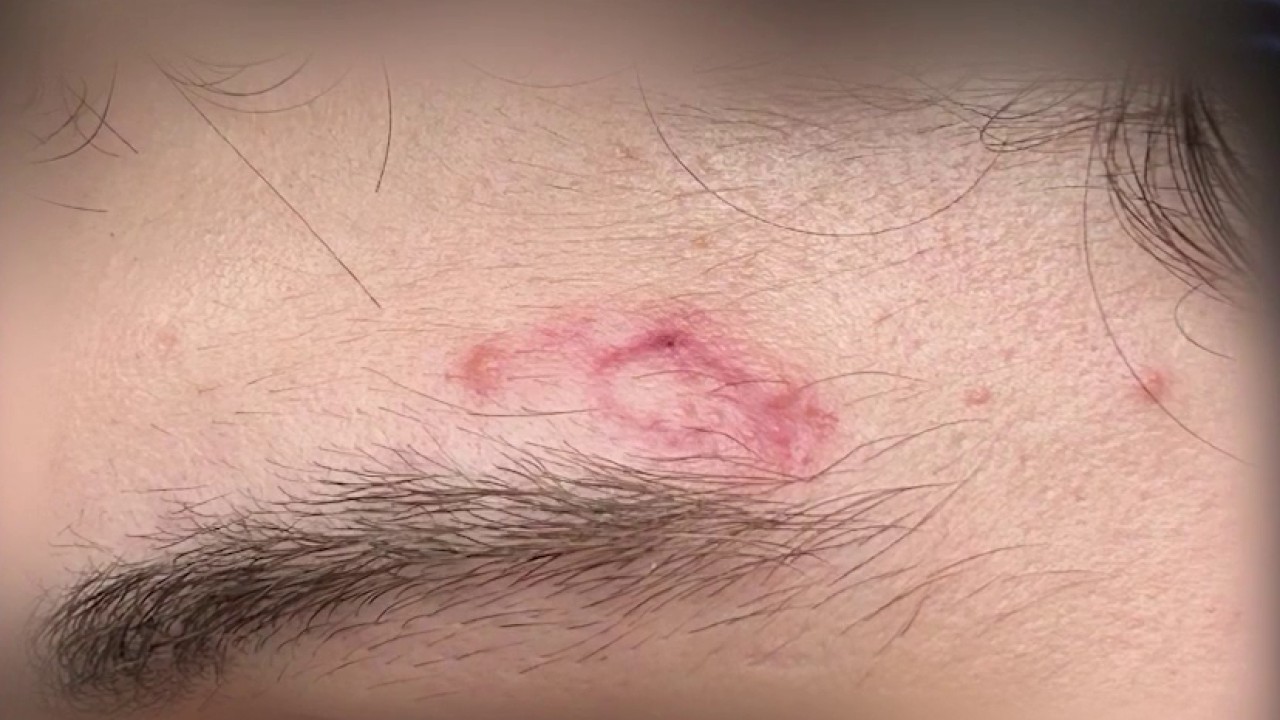 United States
FOX 5 Atlanta · 10 June 2026
'I was frozen': Masked teens ambush buyer in Facebook Marketplace trap
A man is warning the public after masking, gloving teens ambushed and robbed him at gunpoint during a setup Facebook Marketplace deal.
Read on FOX 5 Atlanta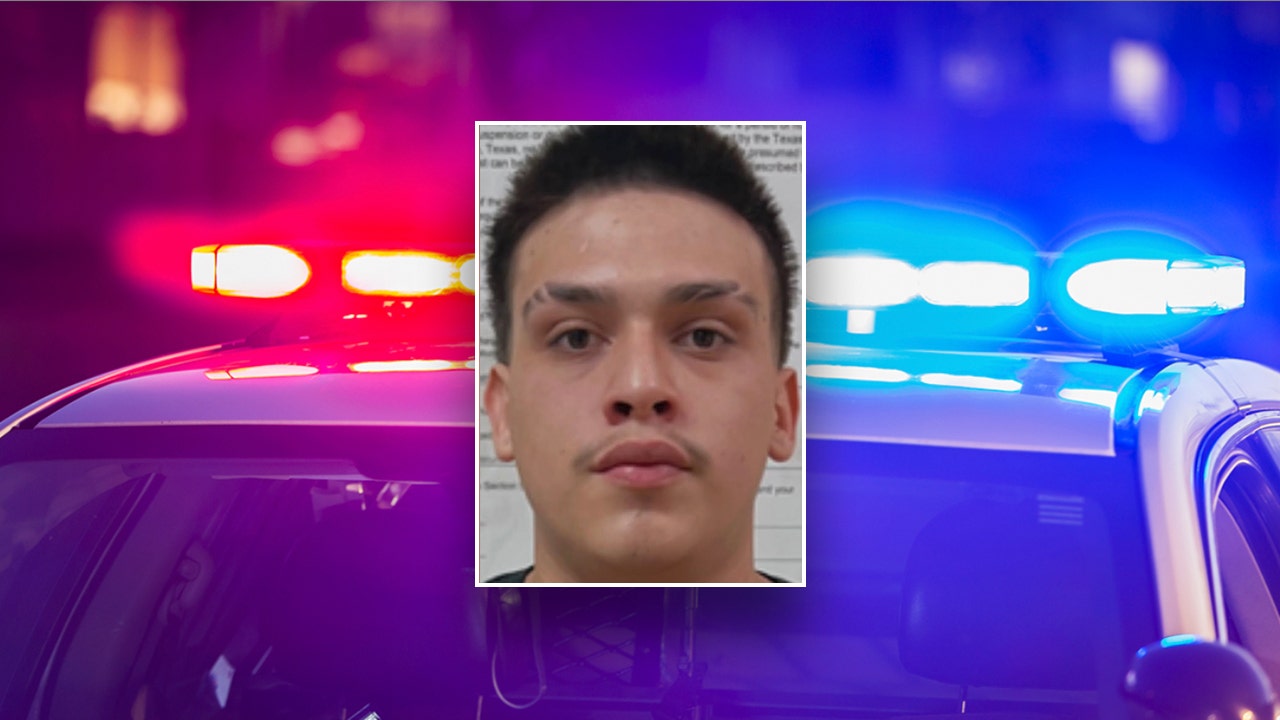 United States
Fox News · 2 June 2026
Texas teens accused of using dating apps to lure young men into violent robberies that left one victim shot
Two Texas teens allegedly used online dating platforms to lure victims into robberies, including one that left a 15-year-old boy shot four times, authorities said.
Read on Fox NewsNew Zealand
RNZ · 27 May 2026
Teens accused of using gay dating app to target Invercargill victim appear in court
Four teenagers are accused of using a gay dating app to target a victim whose home they allegedly then tried to force their way into.
Read on RNZNew Zealand
Stuff · 27 May 2026
Police arrest two more teens after dating app luring leads to violent weekend assaults
Two teenagers have appeared in court charged over a string of violent weekend assaults where police allege victims were deliberately targeted and lured using dating apps.
Read on Stuff- New Zealand
New Zealand Police · 14 May 2026
Police urge caution to dating app users, Southland
Southland Police are urging users of dating apps to take steps to protect themselves when meeting up with people they’ve only spoken to online. Southland Area Prevention Manager…
Read on New Zealand Police  United States
The Arizona Republic · 10 May 2026
Phoenix man believed he was being catfished. He ended up dead
Read on The Arizona Republic- United States
Federal Trade Commission · 27 April 2026
New FTC Data Show People Have Lost Billions to Social Media Scams
New data from the Federal Trade Commission show that, in 2025, nearly 30% of people who reported losing money to a scam said that it started on social media, with reported losses reaching a…
Read on Federal Trade Commission 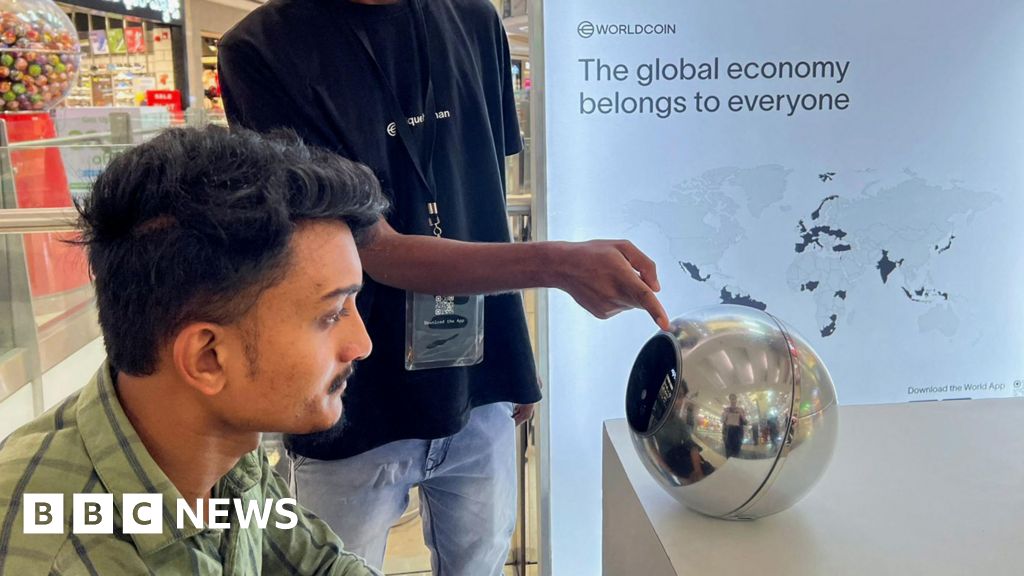 United Kingdom
BBC News · 17 April 2026
Tinder and Zoom offer 'proof of humanity' eye-scans to combat AI
The tech aims to identify people's irises and stop the rise of fake accounts and malicious scams.
Read on BBC NewsInternational
The Straits Times · 8 April 2026
Tinder rolls out facial verification in Singapore as part of global effort to root out scams
Existing users do not need to complete the video selfie verification unless there are signs of suspicious activity. Read more at straitstimes.com. Read more at straitstimes.com.
Read on The Straits Times- Canada
CBC News · 26 March 2026
Edmonton police lay more charges against man accused of sex assaults linked to dating app encounters
Edmonton police have laid additional charges against William McMullin after five more complainants came forward. In total, William McMullin is facing 22 charges including sexual assault…
Read on CBC News  Canada
Global News · 12 March 2026
Calgary man, 23, charged with sexual assault, voyeurism after dating app meeting | Globalnews.ca
A 23-year-old Calgary man is charged with sexual assault and voyeurism after police say a woman he met on a dating app was assaulted at his residence.
Read on Global NewsNew Zealand
RNZ · 17 February 2026
Auckland woman appears in court for alleged 18-year elaborate romance scam
A woman accused of defrauding a man out of more than half a million-dollars in an alleged 18-year romance scam has appeared in court for the first time today.
Read on RNZ Australia
Scamwatch · 5 February 2026
Criminals exploit online relationships and inflict heartache
Quarterly scamwatch statistics show an increase in romance scam reports and money stolen across 2025.
Read on Scamwatch International
Biometric Update · 5 February 2026
Match Group extends FaceTec liveness to Hinge, adds age verification for UK, Oz users | Biometric Update
The biometric checks also scan for duplicate faces among profile images, and users who complete the process receive a “Selfie Verified” badge.
Read on Biometric UpdateNew Zealand
RNZ · 3 February 2026
Facebook Marketplace sale ends in car chase, armed confrontation in Northland
A Facebook Marketplace transaction gone wrong in the Far North led to alleged confrontation with a gun, a car chase and armed police spiking the suspects' vehicle.
Read on RNZ New Zealand
Trade Me · 21 January 2026
Watch for Flatmates and rentals scammers
Watch for Flatmates and rentals scammers - We’re seeing a new variation of an old scam doing the rounds in our Flatmates Wanted and Rental sections.
Read on Trade MeAustralia
ABC News · 29 December 2025
Facebook Marketplace and Gumtree are full of scammers. Here is how to avoid them
Savannah thought she had taken all the right steps to protect herself while selling items on Facebook Marketplace, but that did not stop her from being scammed. Here is what you need to…
Read on ABC News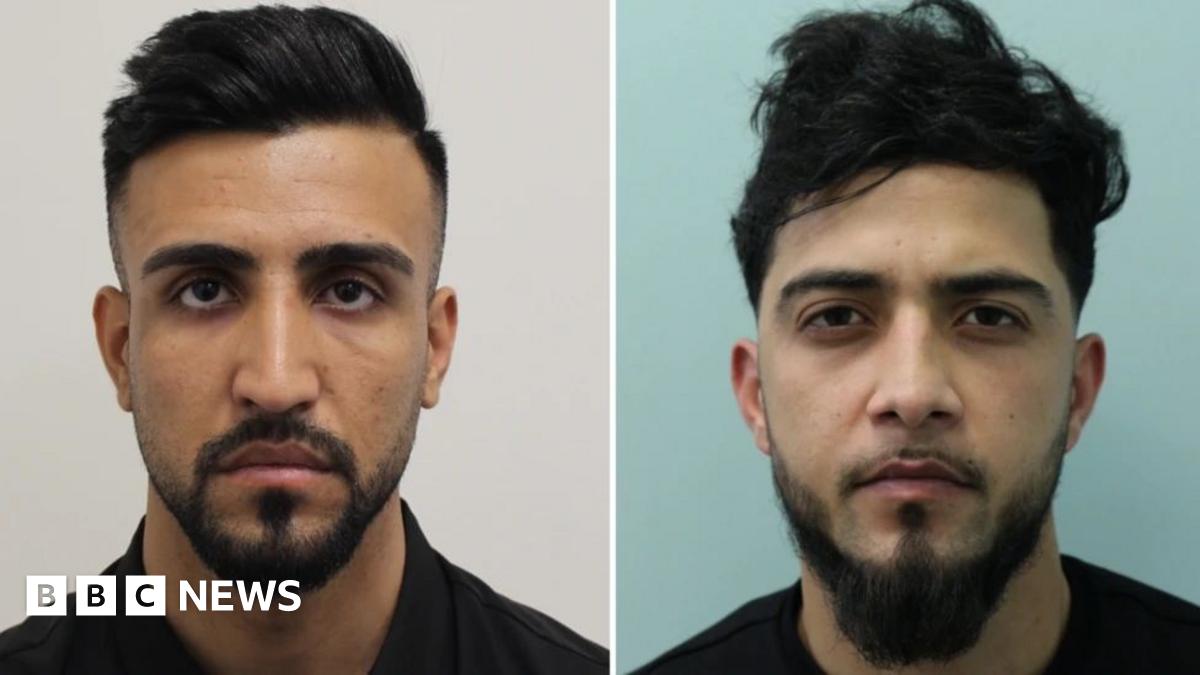 United Kingdom
BBC News · 22 December 2025
Two men jailed over Grindr targeted robberies
The Met says the men were part of an organised gang who would arrange to meet their targets at home.
Read on BBC NewsNew Zealand
RNZ · 20 December 2025
Grindr attackers Thomas Bull, Ethan Jeffs and Patrick Moloney sentenced in the Tauranga District Court
The actions of a group of young men who posted "video montages" of assaults on gay men they had lured through Grindr have been described as "a hate crime".
Read on RNZNew Zealand
RNZ · 12 December 2025
Kidnapping charges after Facebook Marketplace buyer allegedly robbed and assaulted
Two people have been charged with kidnapping and robbing a man trying to buy a car on Facebook Marketplace.
Read on RNZ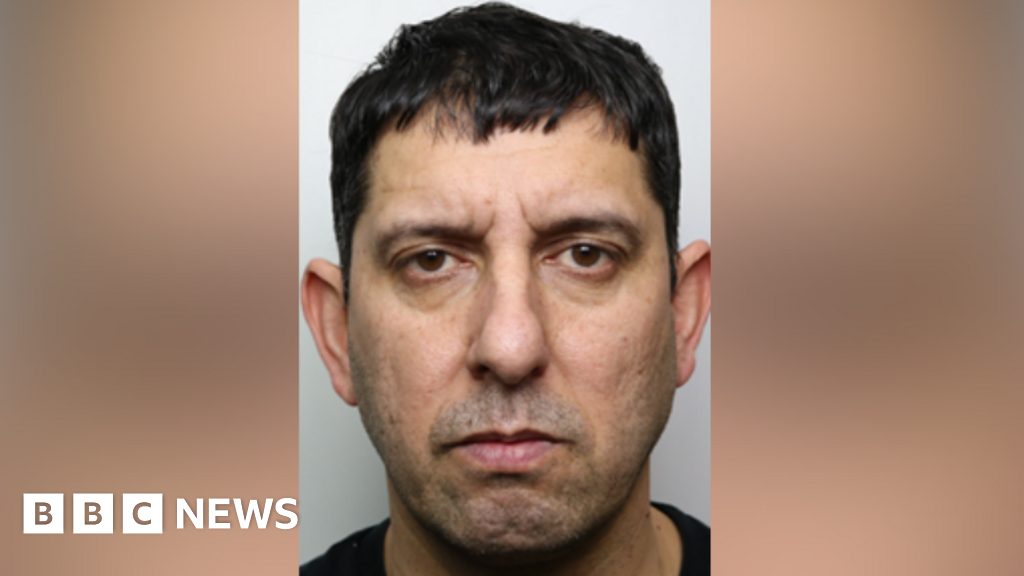 United Kingdom
BBC News · 9 December 2025
Rapist from Reading who lured victim with fake profile jailed
Abdullah Shahnamy, 44, had posed as a 26-year-old on a dating app before meeting his victim.
Read on BBC NewsAustralia
9News · 18 November 2025
Perth father 'assaulted with stun gun' in Facebook Marketplace sale gone wrong
Read on 9News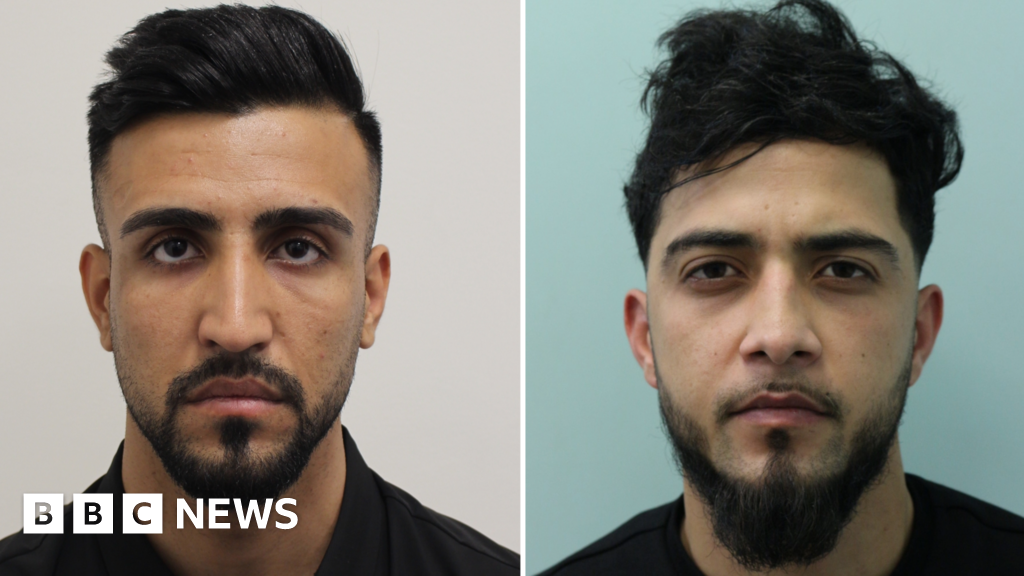 United Kingdom
BBC News · 5 November 2025
Pair found guilty over Grindr-based burglaries across London
The two men took cash, watches phones and passwords after arranging to meet their targets at home.
Read on BBC News United States
TechCrunch · 22 October 2025
Tinder will require new users in the US to verify their identity with a selfie | TechCrunch
The facial-verification feature, known as Face Check, requires new users to verify their identity by submitting a short video selfie.
Read on TechCrunch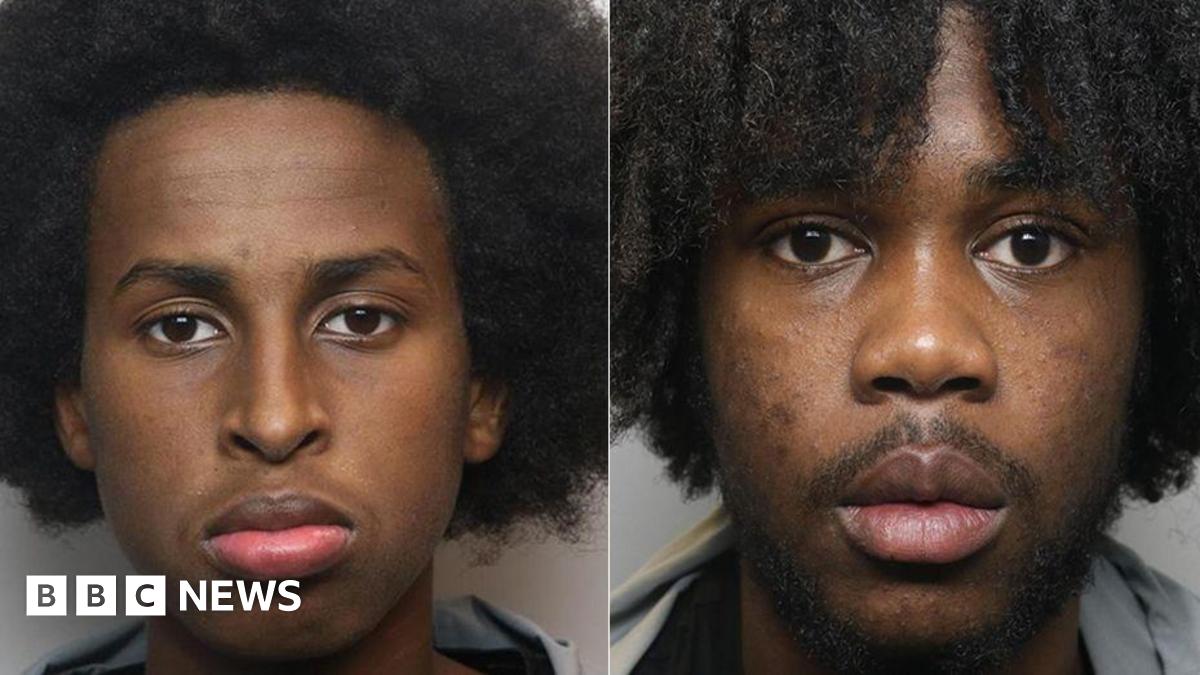 United Kingdom
BBC News · 15 October 2025
CCTV records Facebook Marketplace robbers' attack in Manchester
The robbers, both 18, have been detained at young offenders' institutions for their violent attacks.
Read on BBC News- Canada
CBC News · 14 October 2025
Man robbed, shot while selling item after online arrangement
A man in his 30s was robbed and shot in Winnipeg's West End while meeting up for a sale that had been arranged through an online platform, police say.
Read on CBC News  New Zealand
NZ Herald · 23 September 2025
Safe or risky? Police urge caution for Facebook Marketplace sellers after attacks
Some victims reported buyers used weapons to intimidate and steal goods.
Read on NZ HeraldAustralia
ABC News · 10 August 2025
Man's spine broken after alleged dispute over car sold on Facebook
Police allege a 52-year-old was pushed through a balcony on the Gold Coast during an argument about a car he sold on an online marketplace.
Read on ABC NewsAustralia
ABC News · 5 July 2025
Catfishing teens behind rise in homophobic attacks
Users of popular same-sex hook-up and dating apps are being targeted by violent offenders, but many victims fear reporting out of fears of exposure.
Read on ABC NewsAustralia
ABC News · 8 May 2025
Criminals used fake Grindr profiles to lure victims, Victoria Police say
Police say groups of criminals have allegedly used fake profiles on dating platforms like Grindr to lure victims into being attacked and robbed.
Read on ABC News- Canada
CBC News · 25 April 2025
Teens lured victim on Grindr app prior to assault, robbery, police say
Edmonton police have charged six male youths in what police are calling a "targeted assault" and robbery that happened last month, where a group used a social media app to lure the victim…
Read on CBC News 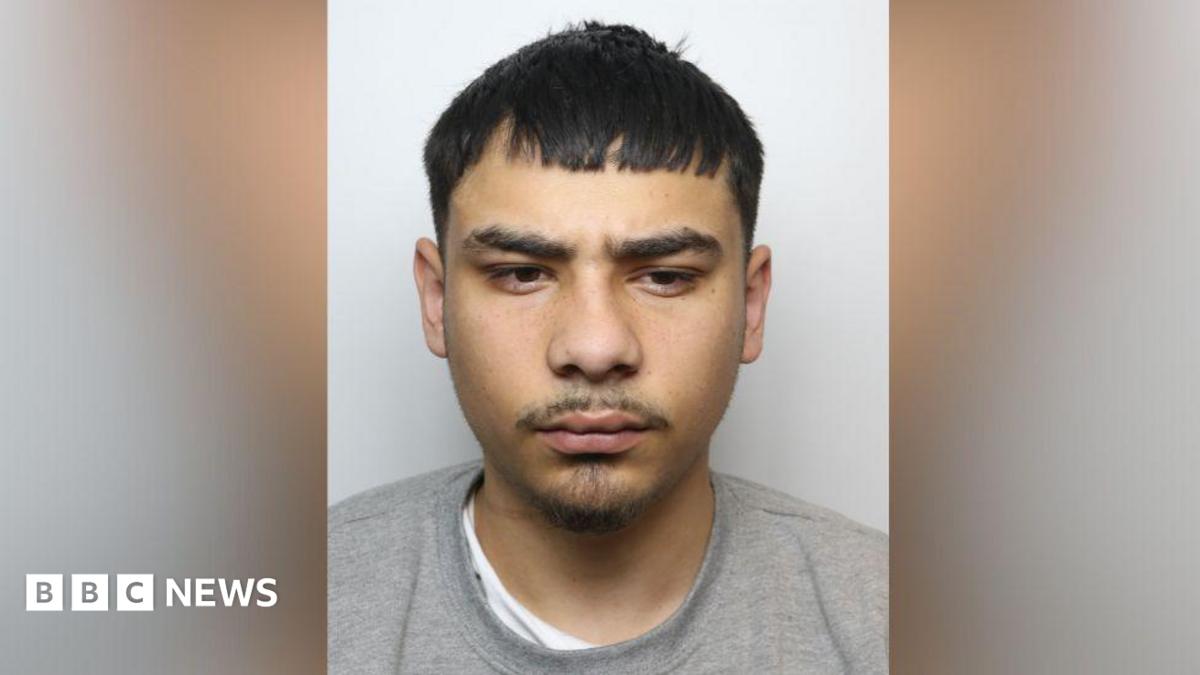 United Kingdom
BBC News · 7 April 2025
Bradford gang leader who targeted men on Grindr dating app sentenced
Villian Kesel was the ringleader of a group who arranged to meet app users and later robbed them.
Read on BBC News Australia
AAP News · 1 April 2025
Dating app code comes online to prevent abuse of users
Dating app platforms have signed up to a voluntary safety code, putting in place proactive measures to protect users from being abused.
Read on AAP News- Canada
CBC News · 5 March 2025
6 teens charged after string of assaults linked to 'Catch a Predator' trend, police say
Six teens in Regina are accused of taking part in a string of 'Catch A Predator' assaults. Regina police say the accused used a dating app and posed as a 15-year-old boy to attract their…
Read on CBC News United States
AP News · 14 February 2025
Australian and Philippine police help would-be victims avoid online love scams on Valentine's Day
Australian and Philippine authorities have taken steps on Valentine’s Day to help would-be victims avoid hurting their “hearts and bank accounts” in online love scams.
Read on AP News Australia
SBS News · 31 January 2025
'Protect your heart and wallet': Thousands of Australians warned over scam threat
Australian authorities have alerted 5,000 potential victims of a Philippines-based romance scam, where dating apps and cryptocurrency schemes were used to exploit victims.
Read on SBS News New Zealand
NZ Herald · 28 January 2025
Police warn of attacks during online marketplace meet-ups including for buying cannabis
Over a dozen people attacked while collecting items from online listings.
Read on NZ Herald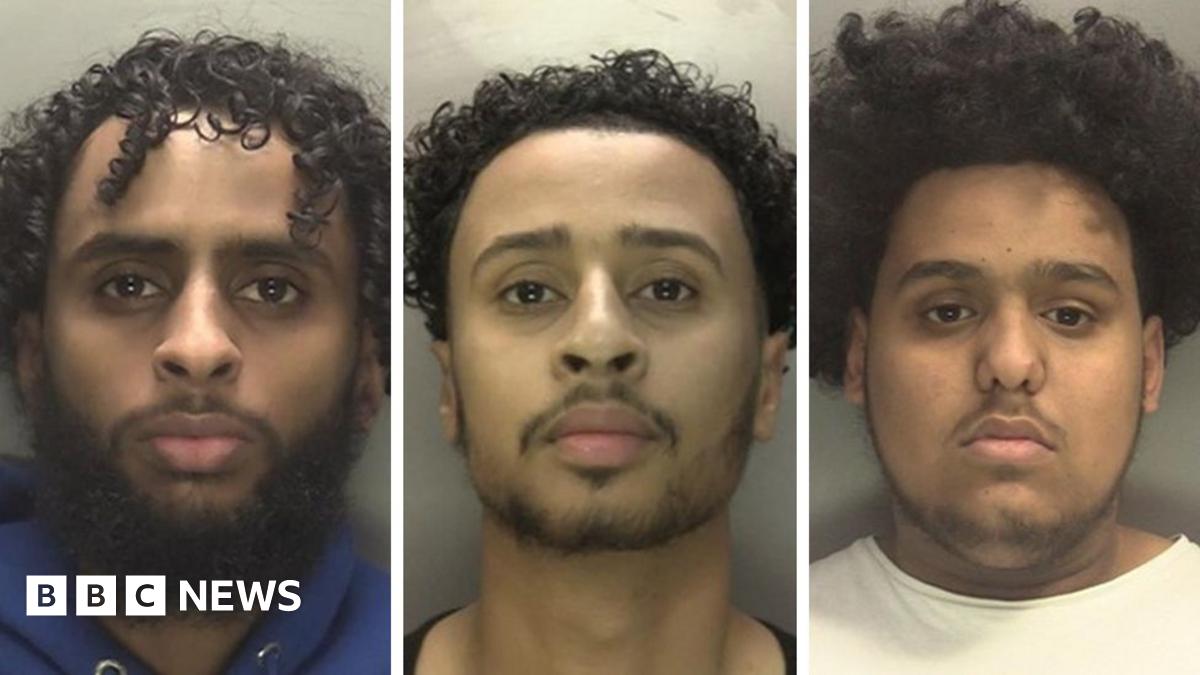 United Kingdom
BBC News · 13 January 2025
Armed gang who used Grindr to rob Birmingham and Derby victims jailed
The group lured men into meeting before attacking them and stealing their belongings, police say.
Read on BBC News
Ready when you are.
Your first Trust Request is free. No account, no app download, most people finish verifying in about 90 seconds.