How it works
A Trust Request is a secure digital envelope shared between two people. It contains the verified photos or ID details each person chooses to share.
It’s designed around one idea: prove who you are without handing over more than you meant to.
- 1
You
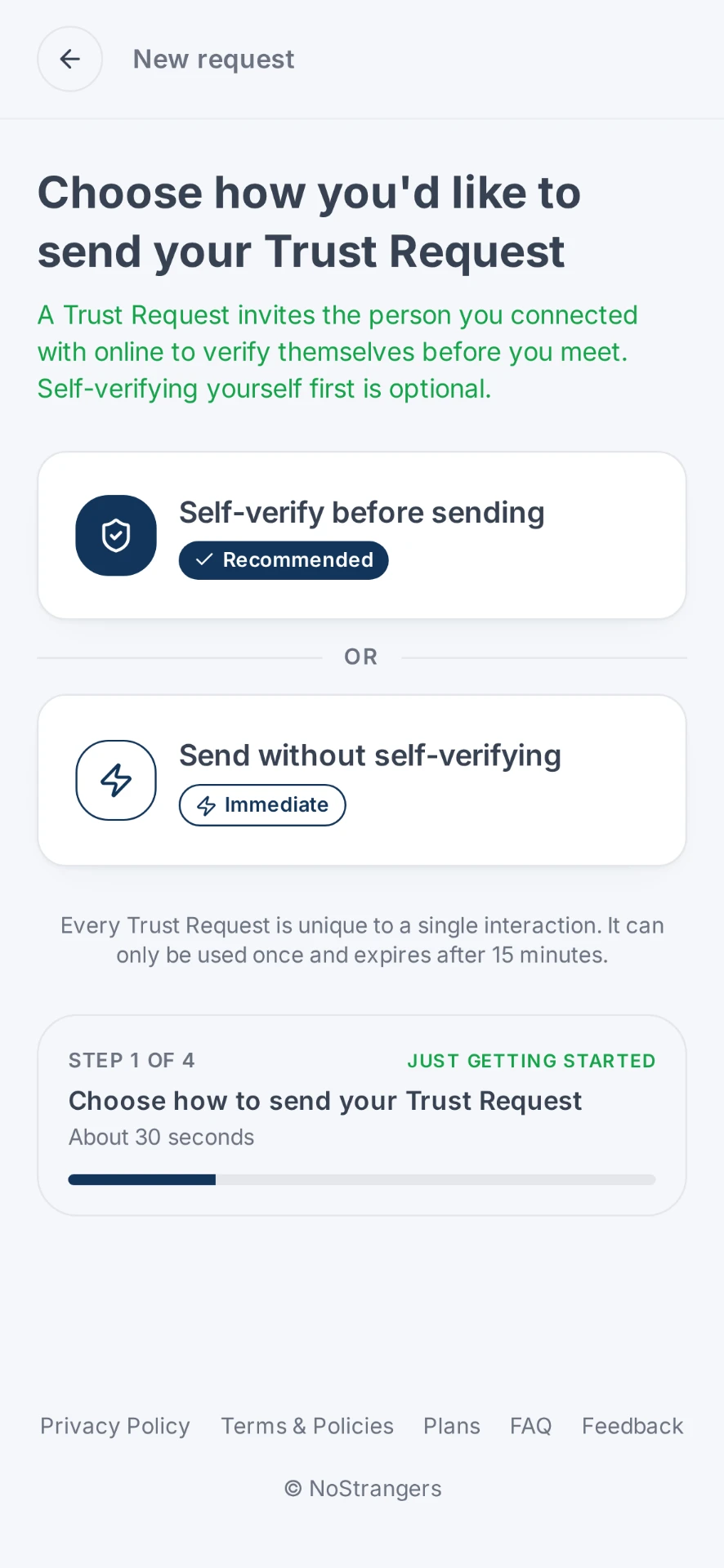
Start a Trust Request
Choose Generate Trust Request and continue as a guest or with your account. You can verify yourself first for a two-way exchange, or simply send a Trust Request for the other person to complete.
- 2
You
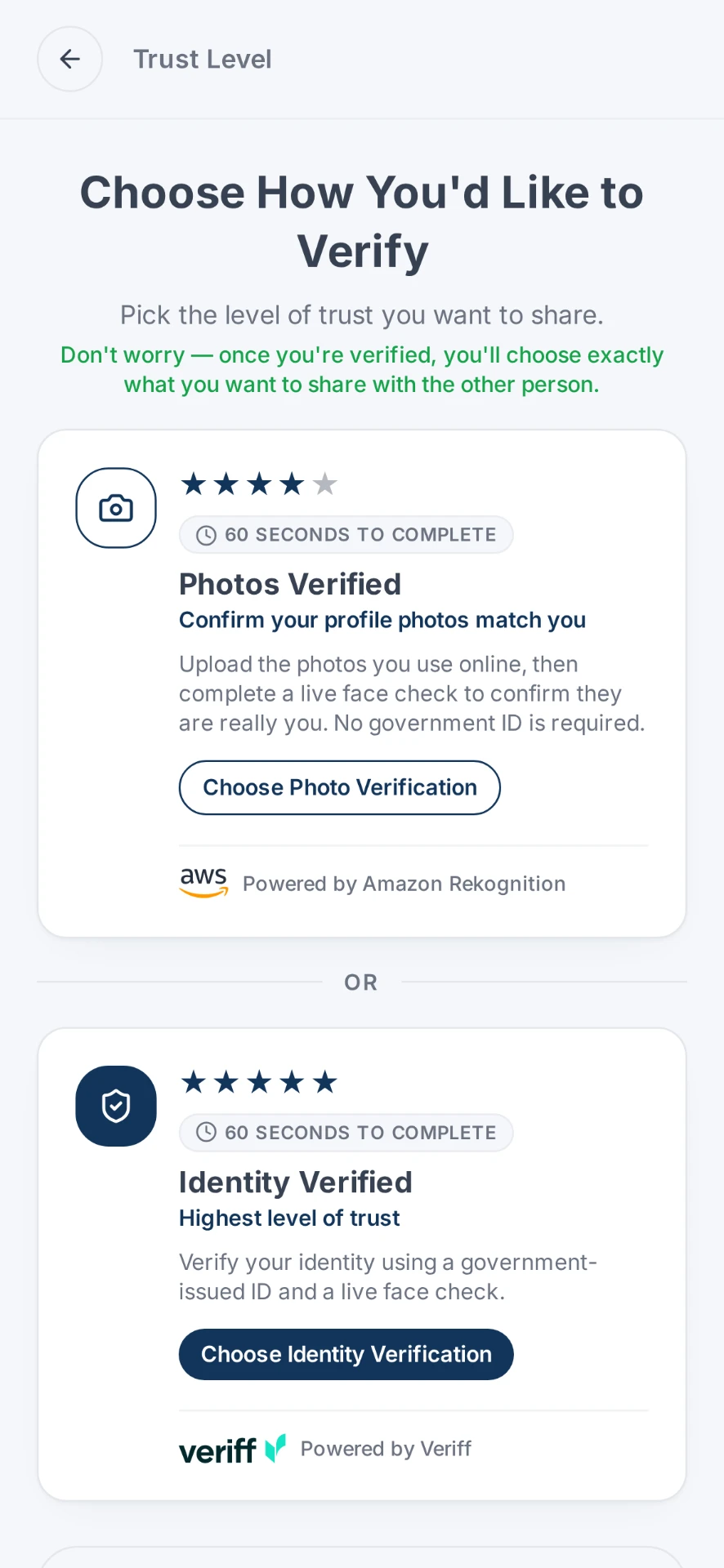
Choose how to verify
If you choose to verify yourself, select the level of trust that suits the situation. If you're signed in and already have a valid saved verification, you can select it without completing the verification again. Premium users with a valid Photos Verified status can also reuse their saved Verified Photo Album.
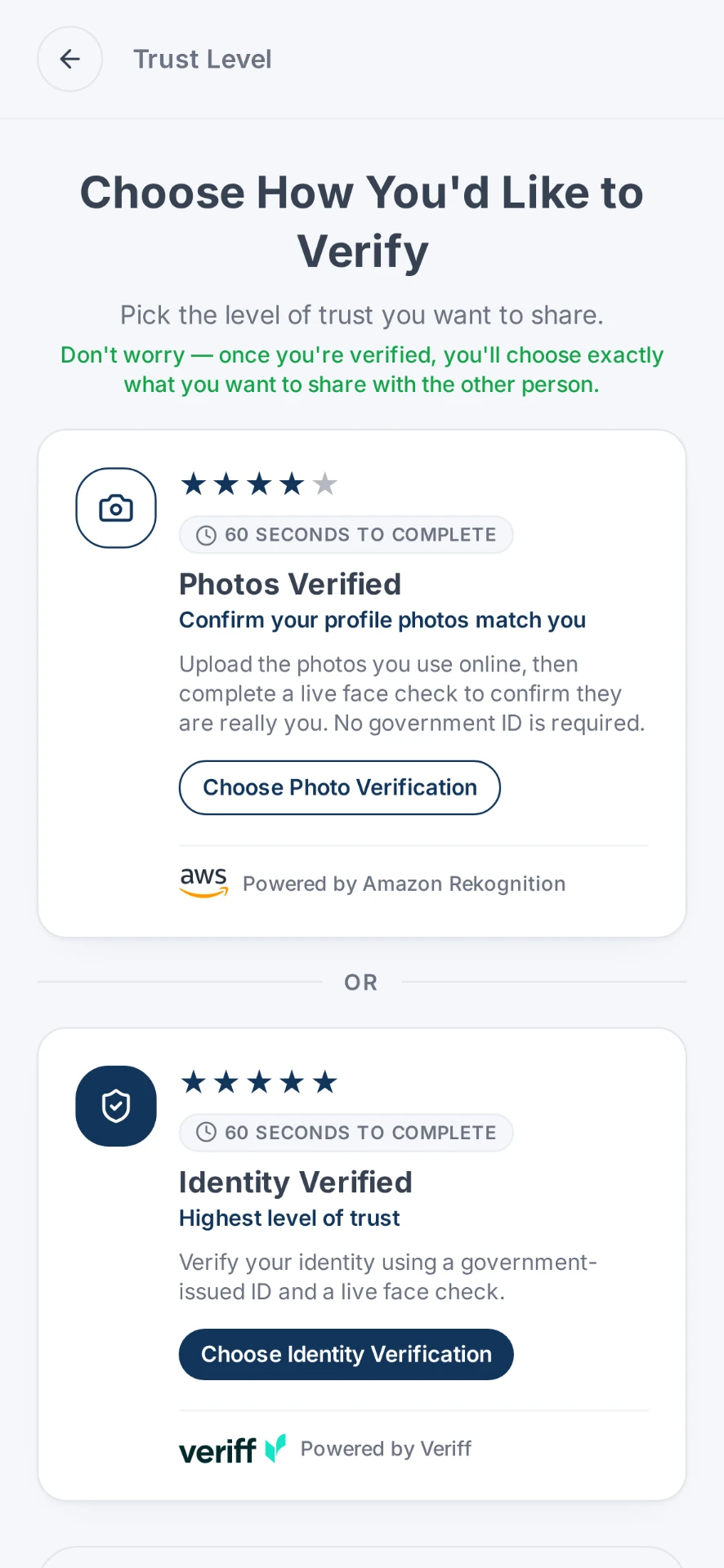
- Photos Verified matches your live face against the photos you submit using Amazon Rekognition. No government ID required.
- Identity Verified uses a government-issued ID and live face check through Veriff.
Verifying yourself is optional when sending a Trust Request, although two-way verification is encouraged.
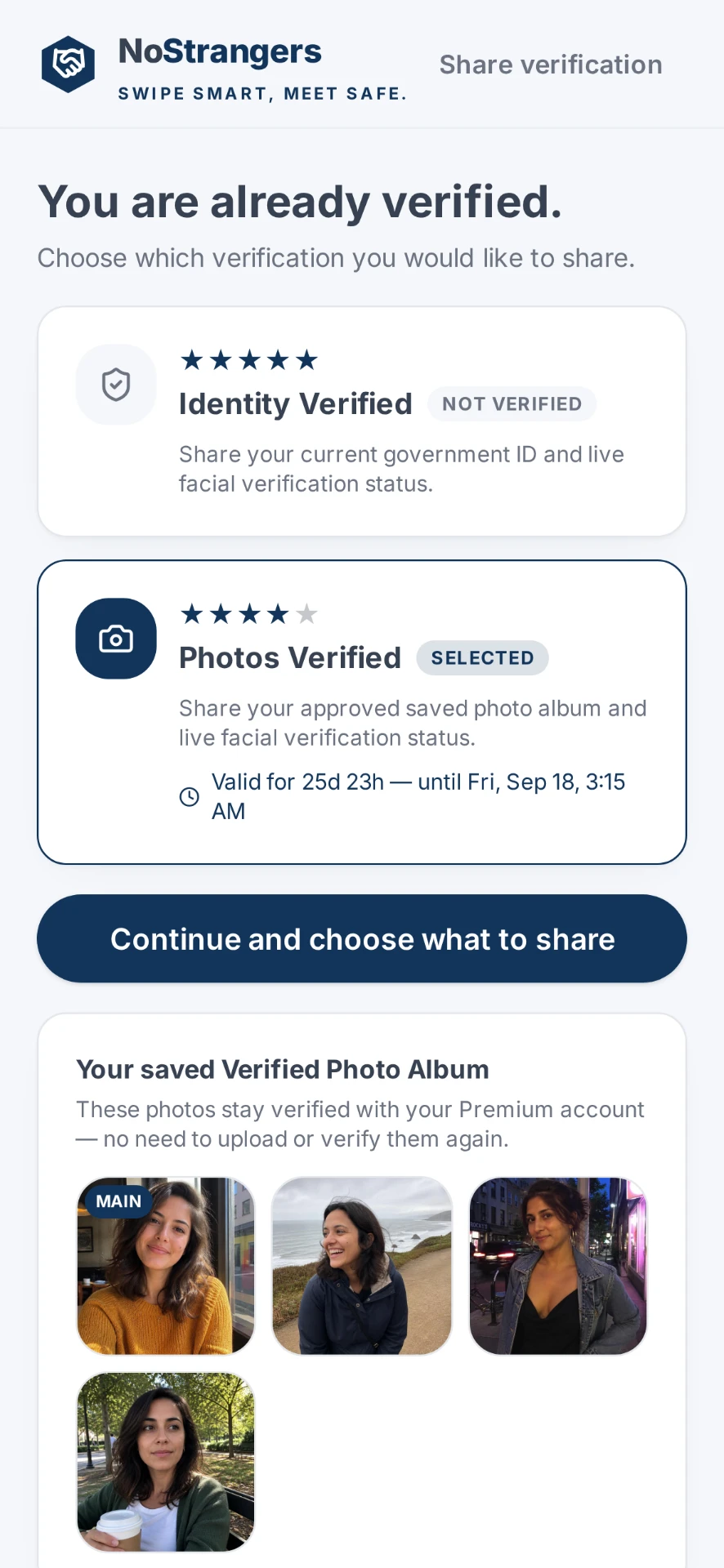
Or reuse a valid saved verification
- 3
You
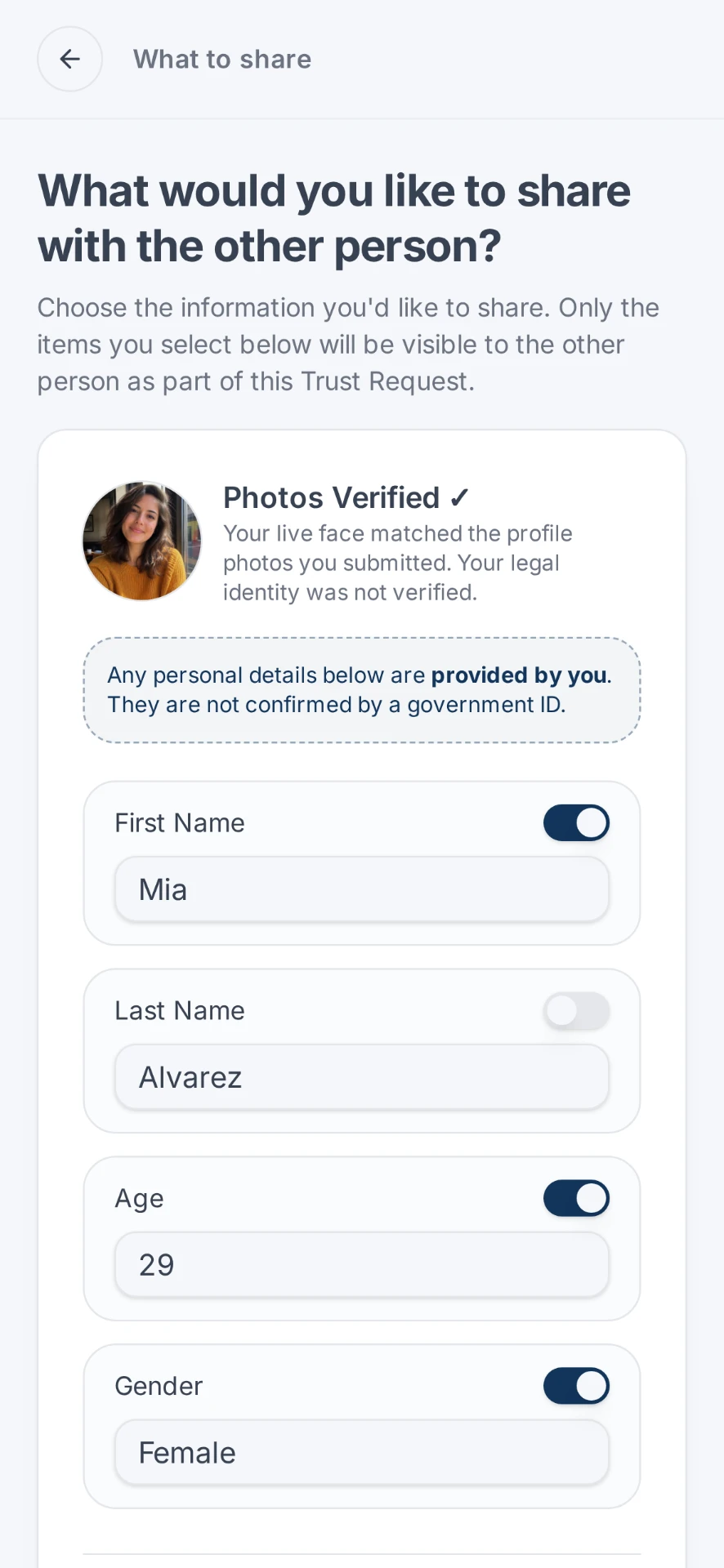
Choose what to share
After verifying, or selecting a valid saved verification, choose exactly what you want the other person to see. With Photos Verified, this can include the verified photos you've submitted or, for eligible Premium users, photos from your saved Verified Photo Album. You remain in control of the information you provide. Verification does not automatically share everything, only what you choose goes into the Trust Request.
- 4
You
Send your Trust Request
NoStrangers generates a private Trust Request for you to send to the person you've been talking to. They can open the link or use the Trust Request code to respond. They don't need to download an app.
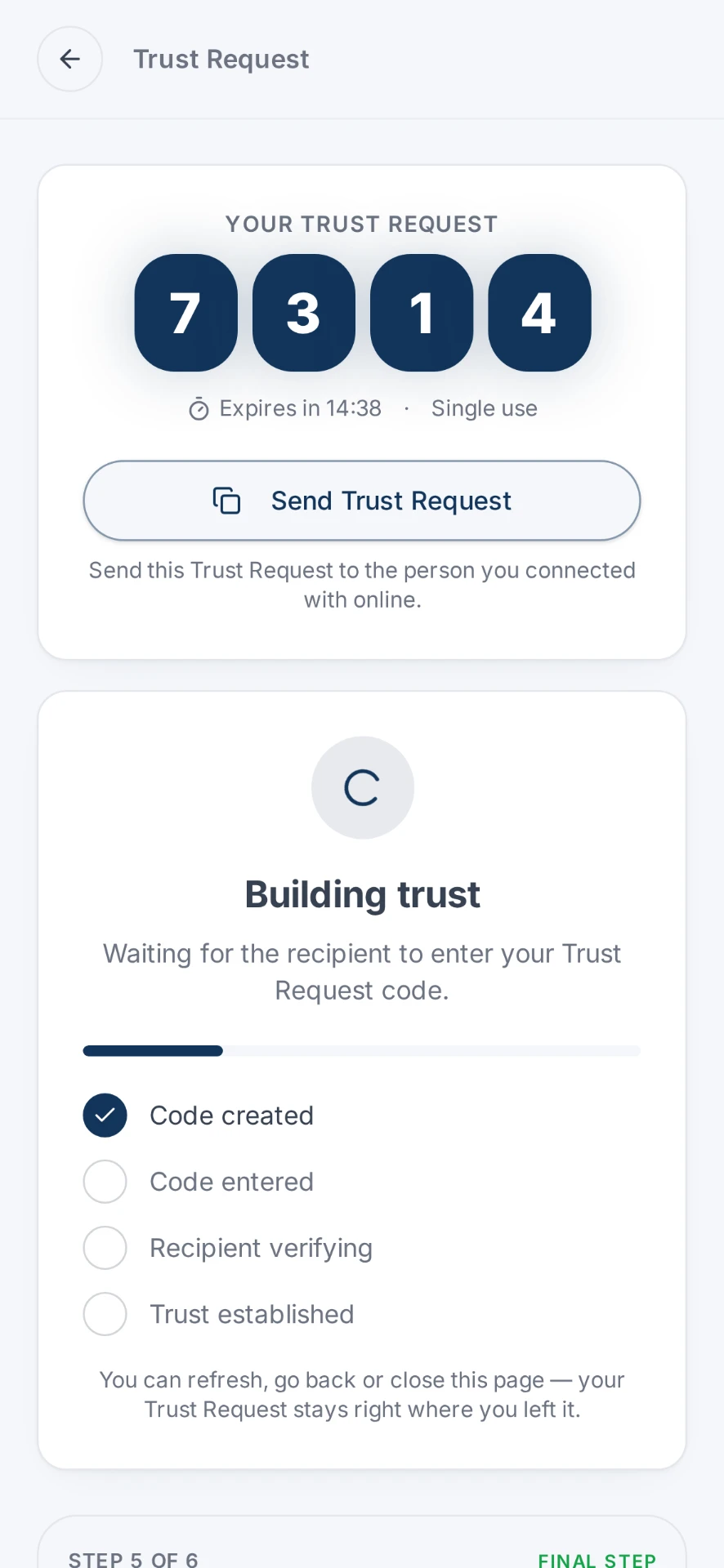 YouTrust RequestThem
 - 5
Them
They choose how to verify
The other person opens your Trust Request and decides whether to take part. They choose Photos Verified or Identity Verified and complete their verification, or, if they're signed in and already have an eligible valid saved verification, they can use that instead.
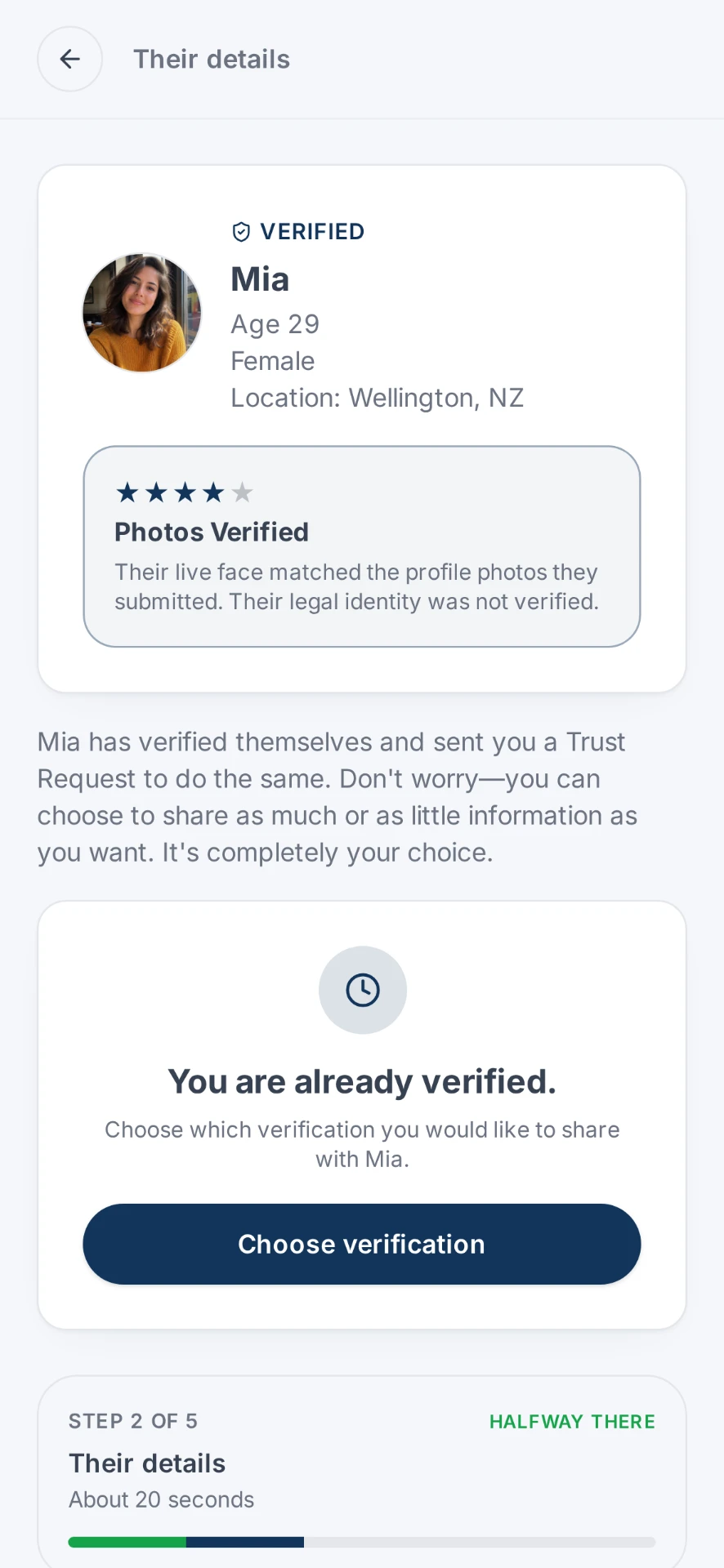
They open your Trust Request first
- 6
Them
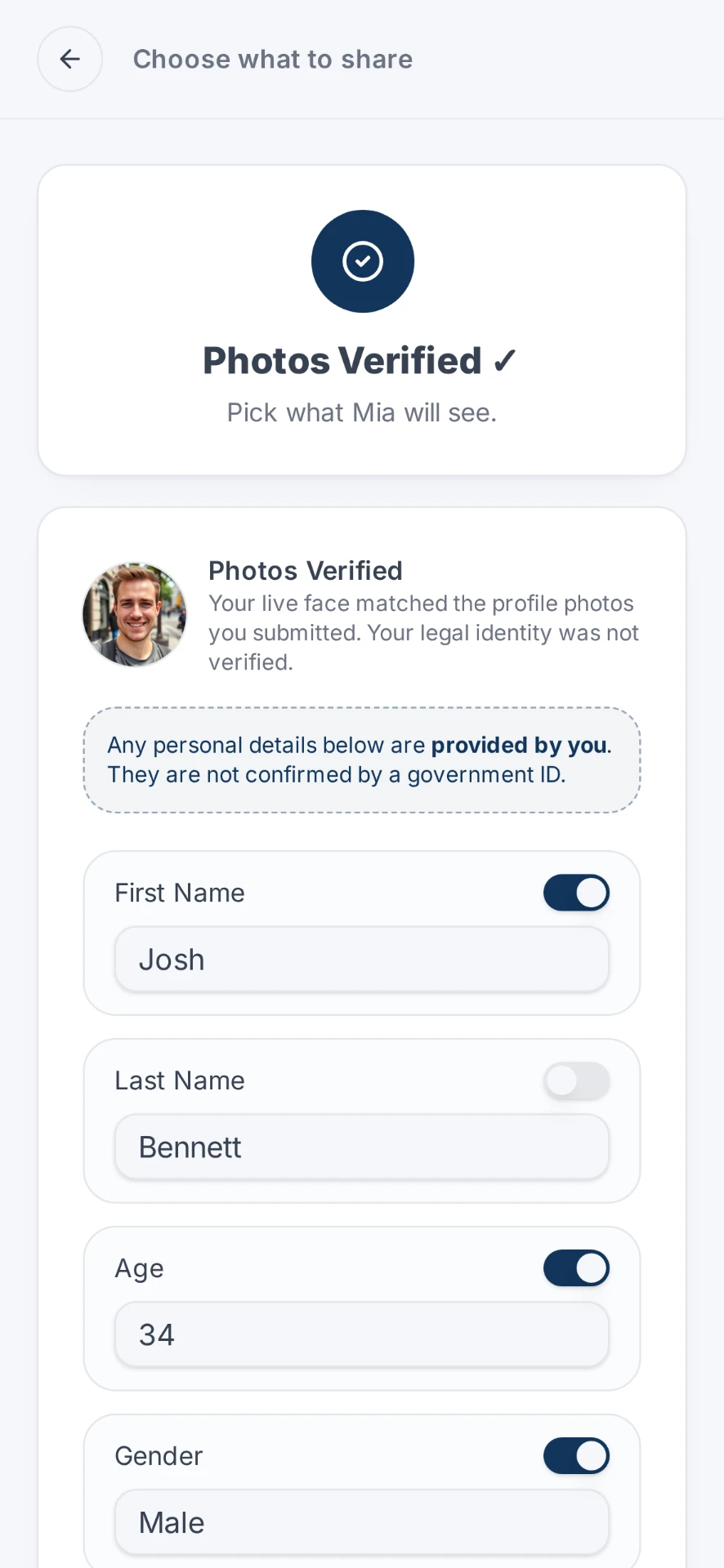
They choose what to share
Just like you, they choose exactly what they're comfortable sharing back. If they're using an eligible saved verification or saved Verified Photo Album, the same sharing controls apply. Each person independently controls what they share with the other.
- 7
Both of you
Trust established
Once the Trust Request is completed, each person sees only the information the other chose to share, giving both people more certainty about who they're actually meeting. As a guest user, the details you receive from the other person are deleted as soon as the Trust Request is complete. As a Premium user, the shared details are stored for 24 hours.
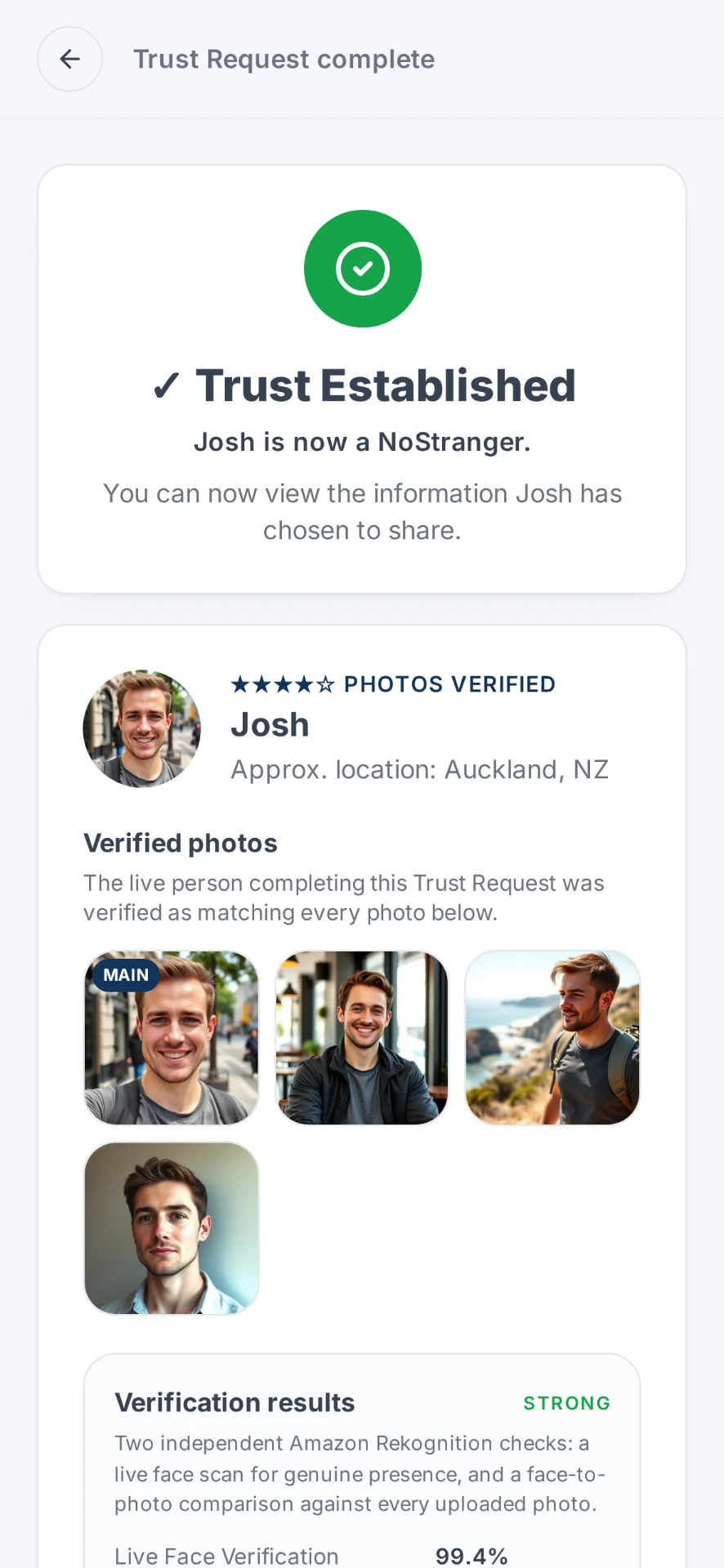
Your side
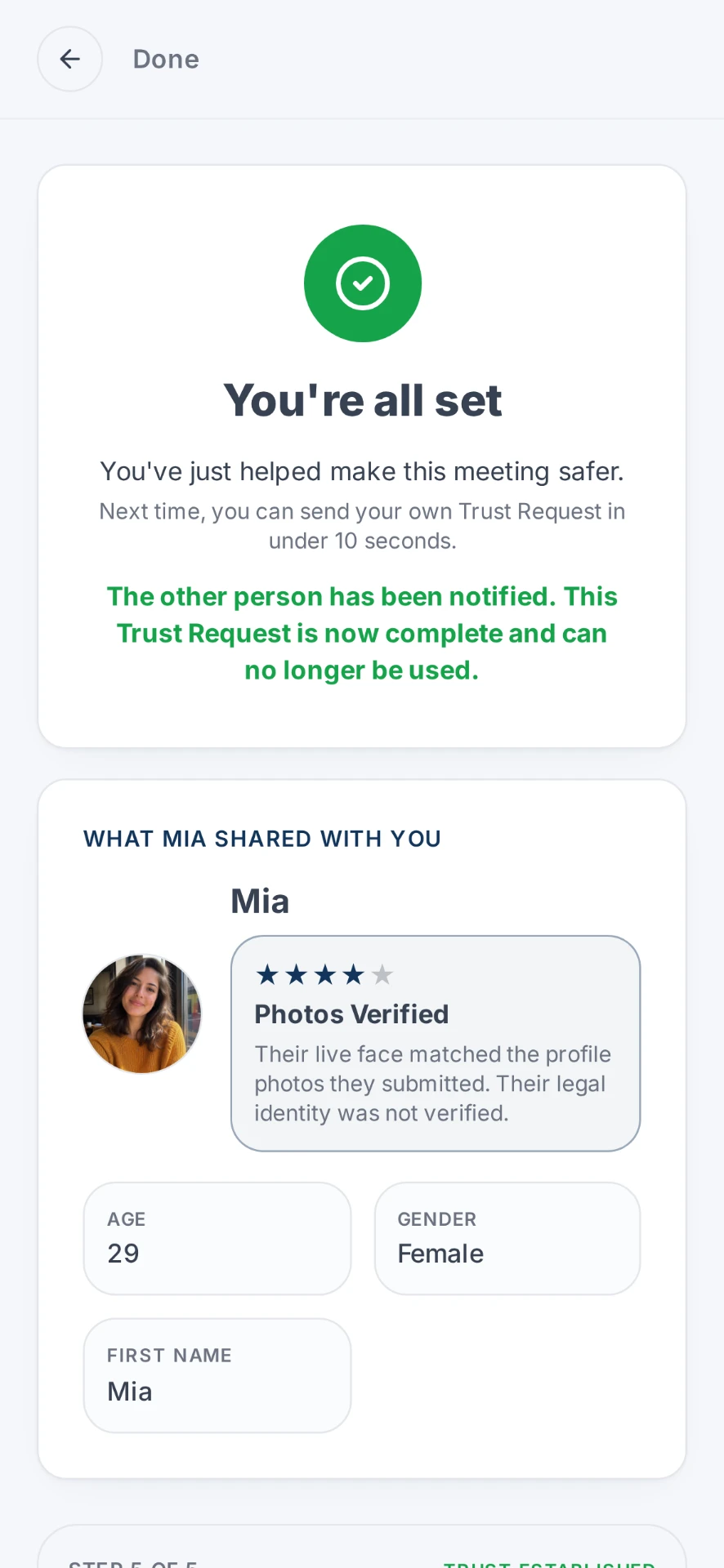
Their side
Either direction
Give a little trust. Ask for a little trust.
A Trust Request can work either way. You can ask someone else to verify, confirm yourself and share selected information, or both of you can choose to do so. If you're asking someone to confirm themselves, sharing a little confirmed information of your own can make the request feel more genuine and less one-sided. It's always your choice.
One-way Trust Requests are completely valid too.
Two ways to verify
Pick the level of proof that suits the situation.
Photos Verified
A live face check is matched against the photos you use online using Amazon Rekognition. It confirms the person completing the check matches the photos they submitted, without requiring a government ID. The live face scan itself is not sent to the other person. They see the match and the photos you choose to share.
- Confirms your live face matches the photos you've submitted
- No government ID required
- Helps protect against fake, stolen or misleading profile photos
- Verified photos can be shared as part of the Trust Request
Identity Verified
A government-issued ID plus a live face check, handled by Veriff. Your ID document is never shared with the other person, and NoStrangers does not need to expose the document as part of the Trust Request. Only the match is shared, along with the verified details you pick.
- Government-issued ID + live face verification
- Confirms verified identity details such as name and age
- Highest level of verification available on NoStrangers
- Your Government ID document is never shared with the other person
Want to check someone yourself first? Read how to know if someone online is real or browse the safety guides. Ready now? Verify someone online.
Ready when you are.
Your first Trust Request is free. No account, no app download, most people finish verifying in about 90 seconds.