Deepfake protection
Go past the image and establish that a live person is there.
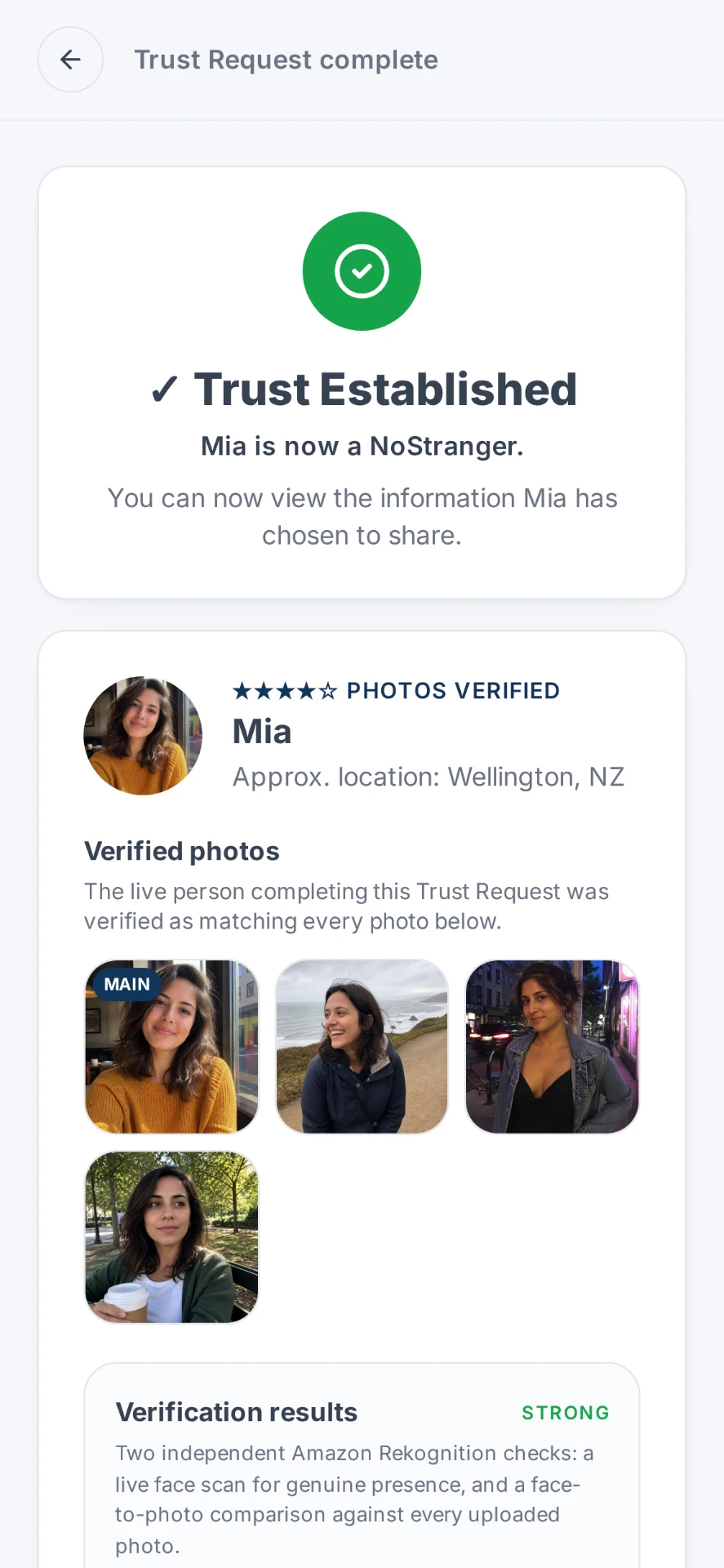
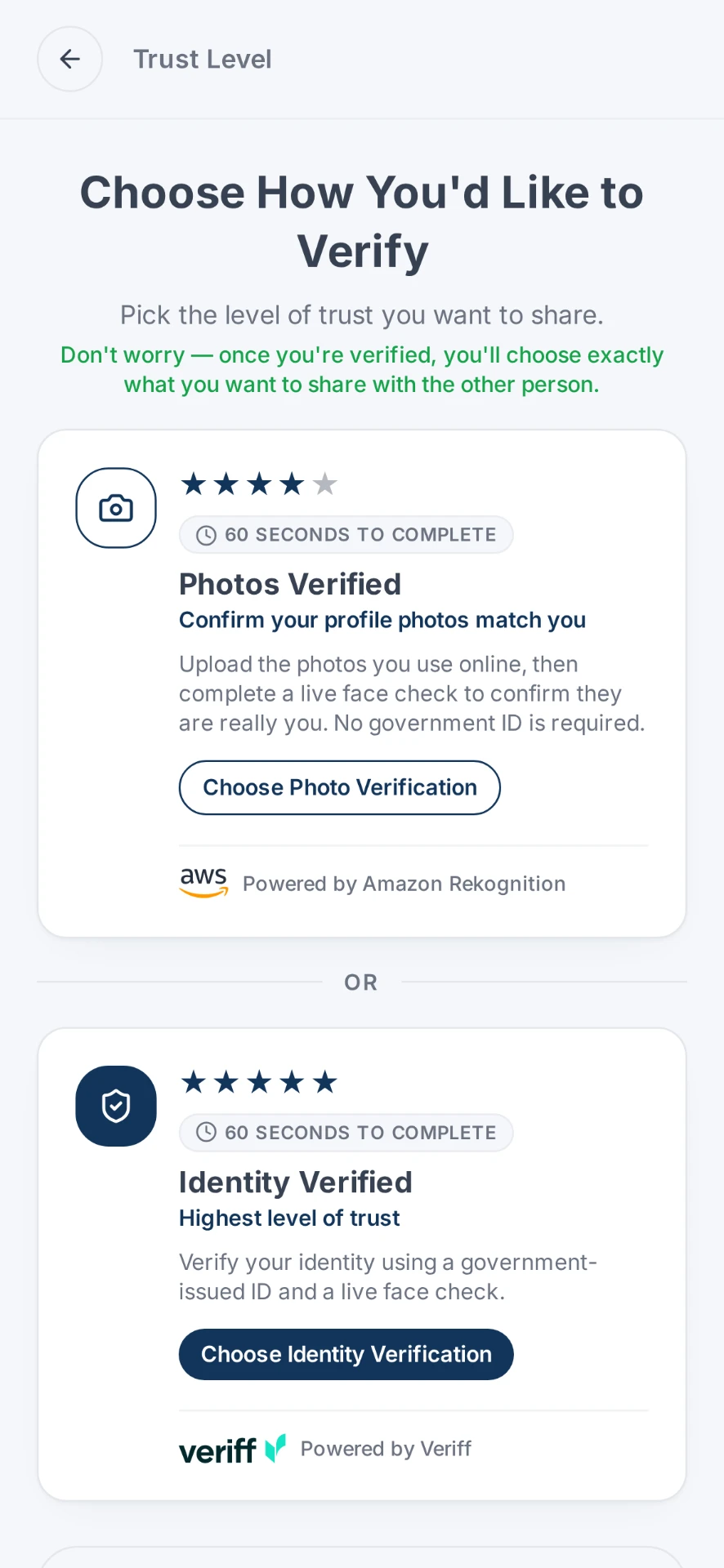
Photos, voices and video can now be generated convincingly enough that media alone is weak evidence of identity. NoStrangers adds an independent live-person verification step: Photos Verified for a live face check against someone's photos, or ID Verified where you need stronger assurance of who someone is, backed by a government-issued ID check.
The evidence
Synthetic media has moved into everyday fraud attempts
Figures from Entrust's identity-verification platform, published in its 2025 Identity Fraud Report. These are platform-observed figures from a commercial vendor, cited as reported.
every 5 min
a deepfake attempt occurred on the Entrust Onfido identity verification platform during 2024, according to the vendor's global platform data.
Entrust Cybersecurity Institute, 2025 Identity Fraud Report+244%
year-on-year increase in digital document forgeries in 2024, which the same report says made up 57% of all document fraud observed on the platform.
Entrust Cybersecurity Institute, November 2024The gap
Most of us still verify identity by looking at media someone sent us.
A profile photo, a selfie holding today's newspaper, a short video clip, a screenshot of a document: for years these worked as informal proof because faking them convincingly was hard. That assumption is what has changed, not the habits built on it.
The weakness is not the technology alone. It is that the person being checked controls the evidence. They choose the file, the framing and the moment, and they send it to you already finished.
An independent verification step inverts that. You initiate the request, and the check happens in a process neither of you authored. With Photos Verified, the live person is compared against the photos they're presenting. With ID Verified, they also verify against a government-issued ID, giving you a stronger basis for establishing who they are.
To be clear about the limits: NoStrangers is not a deepfake detector and cannot catch every form of AI impersonation. It adds an independent live-person verification step, checking a real person in the moment rather than relying on an image, profile or video presented online.
How it works
How the live verification step works
You start it, they complete it, at the level of assurance the situation calls for.
You initiate the request
Generate a unique code yourself, rather than accepting evidence the other person chose to send.
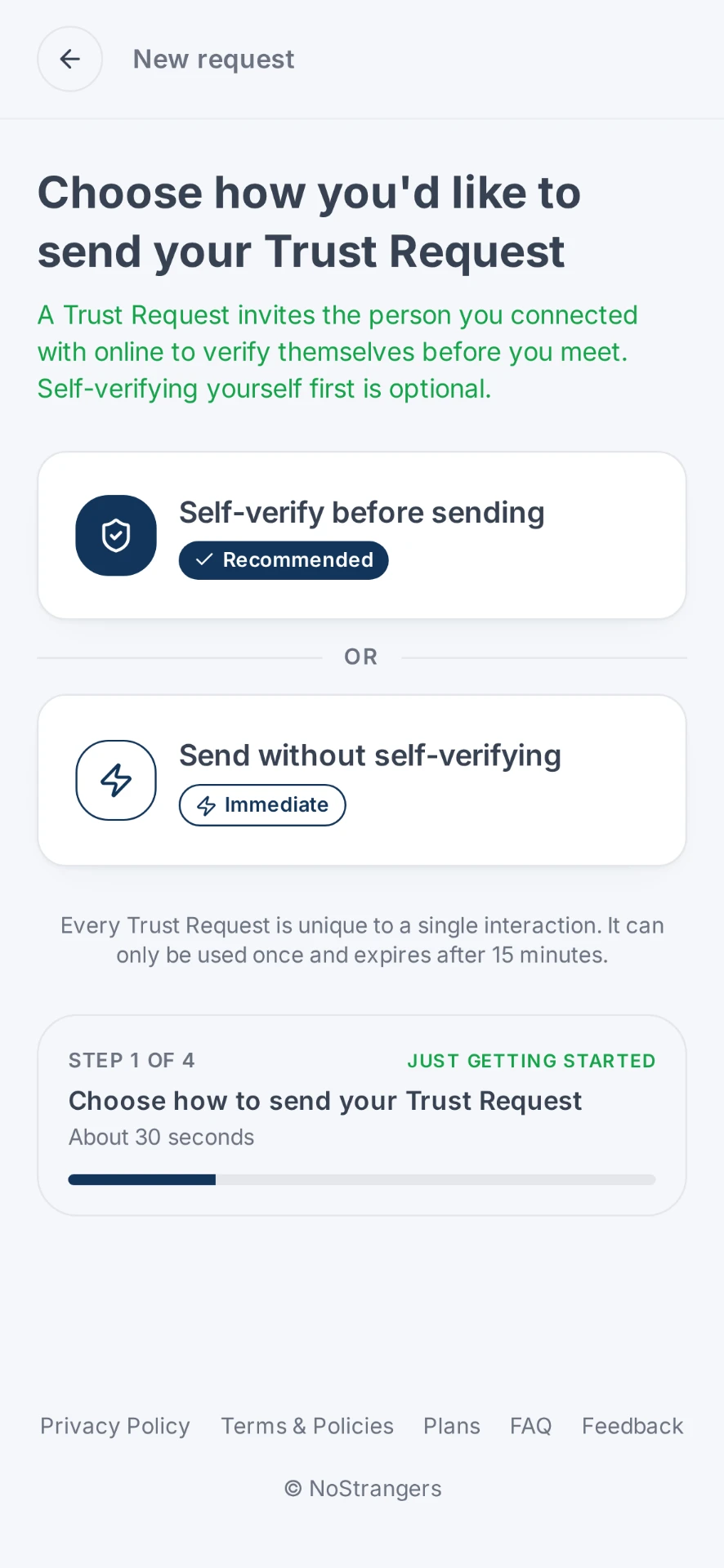
Photos Verified or ID Verified
They complete a live face check against their photos, or, for stronger assurance, ID Verified, which adds a government-issued ID check.
You see the result
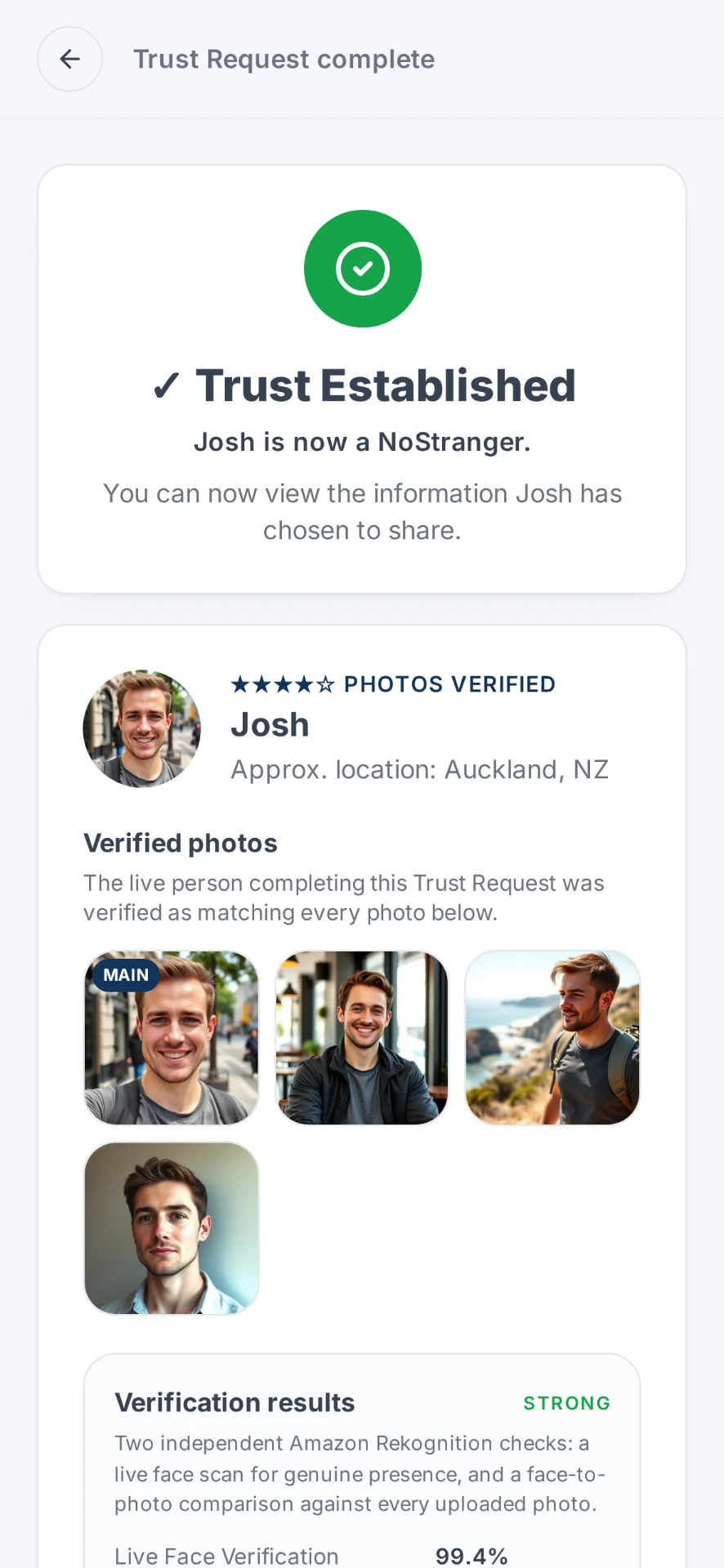
The outcome comes back through the Trust Request, not as a file forwarded into your chat.
Privacy
An independent check, not a data grab.
Only the match is shared. Your private information isn't. They don't see it. Neither do we.
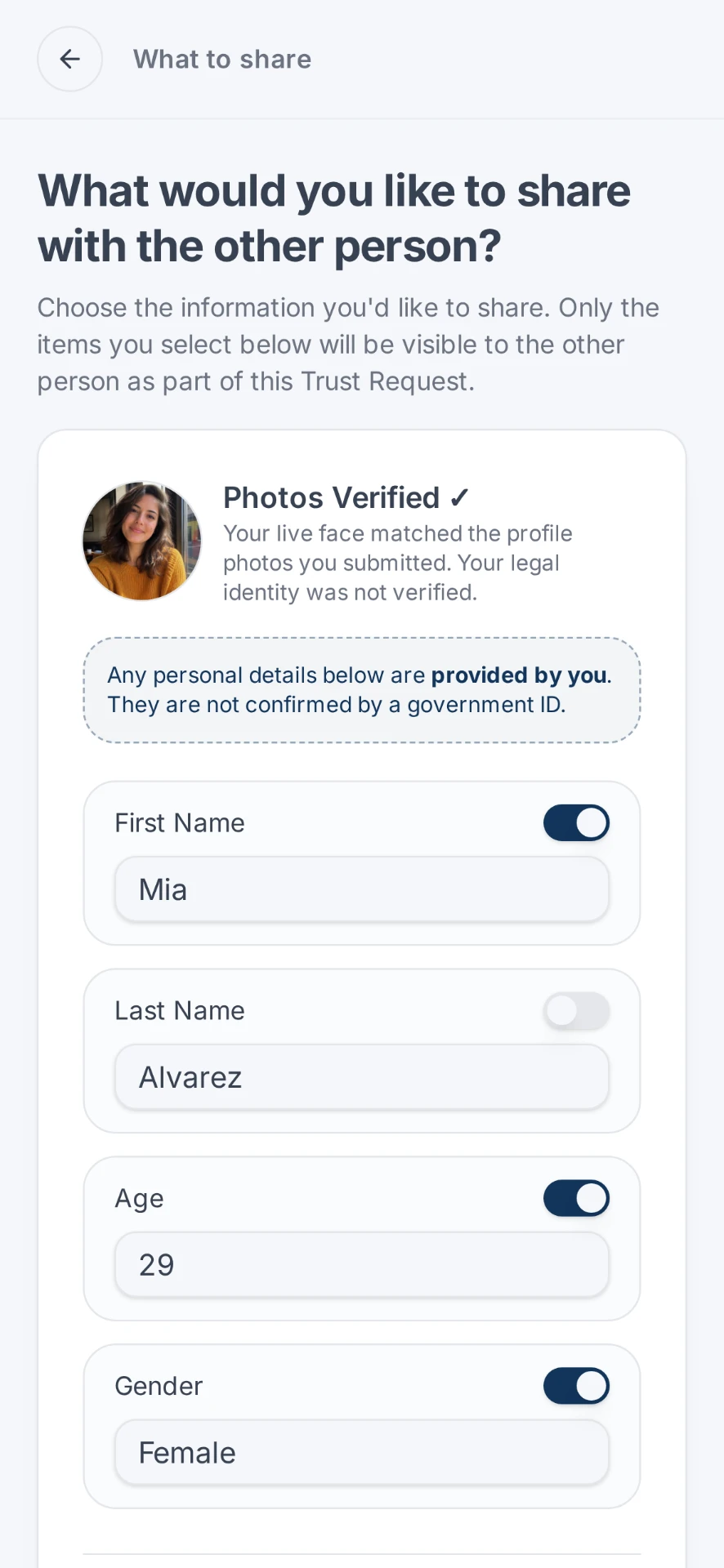
Adding a verification step, whether Photos Verified or ID Verified, should not mean creating a new pile of biometric data and documents in someone's inbox, and it never means exchanging ID documents with the other person. Each person chooses what goes into their side of the Trust Request, and each sees only what the other chose to share.
That restraint is part of the security argument, not a trade-off against it: the less identity material that gets forwarded around in chats, the less there is for anyone to reuse.
More detail in our Privacy Policy.
When to use it
When to add a live verification step
An unexpected video call
Someone appears on a call you didn't arrange, asking for a decision, a payment or access.
A familiar name, a new account
A contact reaches you from a different number, handle or email address and wants to continue business there.
Photos as proof of identity
You've been sent selfies or a document photo as reassurance and would rather not rely on them.
A first meeting arranged entirely online
No mutual contacts, no shared history, and a decision waiting at the end of it.
Pressure and urgency
The request is time-critical and discourages you from checking through your usual channels: the classic pattern worth slowing down.
Proving you're real
Sometimes the doubt runs the other way, and you're the one who needs to demonstrate a live person is behind the account.
Be clear
What a live verification step does and does not prove
An independent check adds evidence. It does not end the problem of synthetic media.
It can help you
- Establish that a live person completed the verification process.
- With Photos Verified, confirm that person matches the photos they're presenting.
- With ID Verified, establish who that person is using government-issued ID.
- Give you a check you initiated, rather than media the other person supplied.
- Let you request it without needing to verify yourself, or let both sides verify each other before a decision is made.
It doesn't
- Universally detect deepfakes or prevent every form of AI impersonation.
- Analyse a video call, a recording or a file someone sent you.
- Establish intentions, authority to act, or that a request is legitimate.
- Replace callbacks to known numbers, payment controls and organisational security policy.
FAQ
Live verification and AI impersonation questions
Can NoStrangers detect deepfakes?
No, and we won't claim it. NoStrangers is not a universal deepfake detector and cannot identify every form of AI impersonation. What it does is add an independent live-person verification step: Photos Verified checks a live person against the photos they're presenting, and ID Verified adds a government-issued ID check where stronger identity assurance is needed. Either way, you're checking a live person completing a process you initiated, not an image, profile or video presented to you online.
Why does a live check help if AI-generated video exists?
Because it changes what is being judged. Instead of assessing media that arrived in a chat (a photo, a forwarded clip, a video call you did not set up), you are relying on a verification completed through an independent process you initiated, and comparing it against identity information the same person committed to.
Someone on a video call looks slightly wrong. What should I do?
Pause the transaction or decision rather than the call. Contact the person through a channel you already have on record, and send a Trust Request so identity is established independently of the call itself.
Is this a security product for my company?
NoStrangers is a person-to-person verification tool, not an enterprise fraud-detection platform. It suits individuals and small teams who need to confirm they're dealing with the real person, and who need stronger assurance of identity when ID Verified is used. It does not replace your organisation's payment controls, callback procedures or security policies.
What information do I have to hand over?
Only what you choose. Each person decides what goes into their side of the Trust Request, and each sees only that. The point is to establish a live person, not to swap identity documents.
Does a completed Trust Request prove nobody is using AI against me?
No. Whether the result is Photos Verified or ID Verified, it is one independent verification step among the precautions you should keep: verified contact channels, callbacks to known numbers, approval limits on payments, and scepticism about urgency. Treat it as evidence, not as proof of a negative.
Where else it works
Add a live verification step before you decide.
About 90 seconds, initiated by you, independent of whatever arrived in the chat.